
.svg)
PowerPoint add-in
Run AhaSlides in PowerPoint using our official add-in
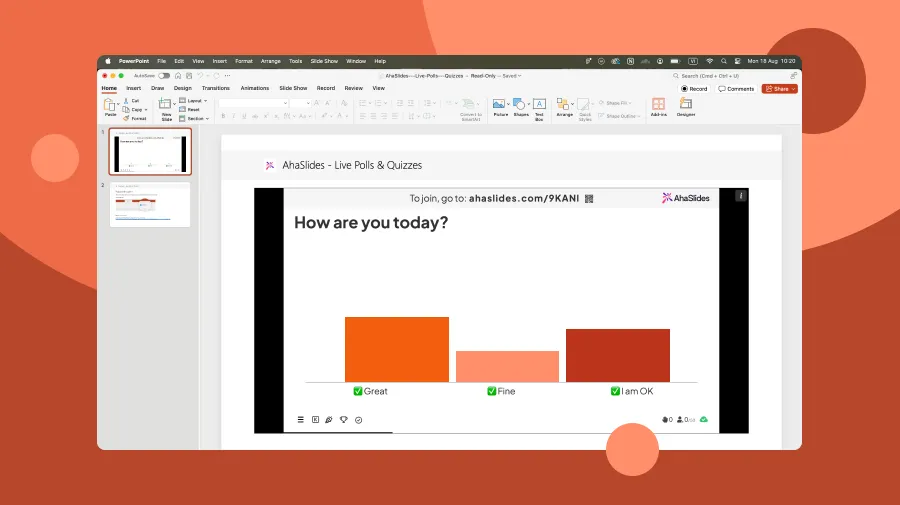
The AhaSlides desktop add-in for PowerPoint lets you control and display interactive activities directly from the PowerPoint application on your Windows or Mac computer. Participants join on their phones while you present from your desktop.
1. Download and install the AhaSlides add-in for PowerPoint desktop from Microsoft AppSource.
2. Open a presentation in PowerPoint and activate AhaSlides from the ribbon.
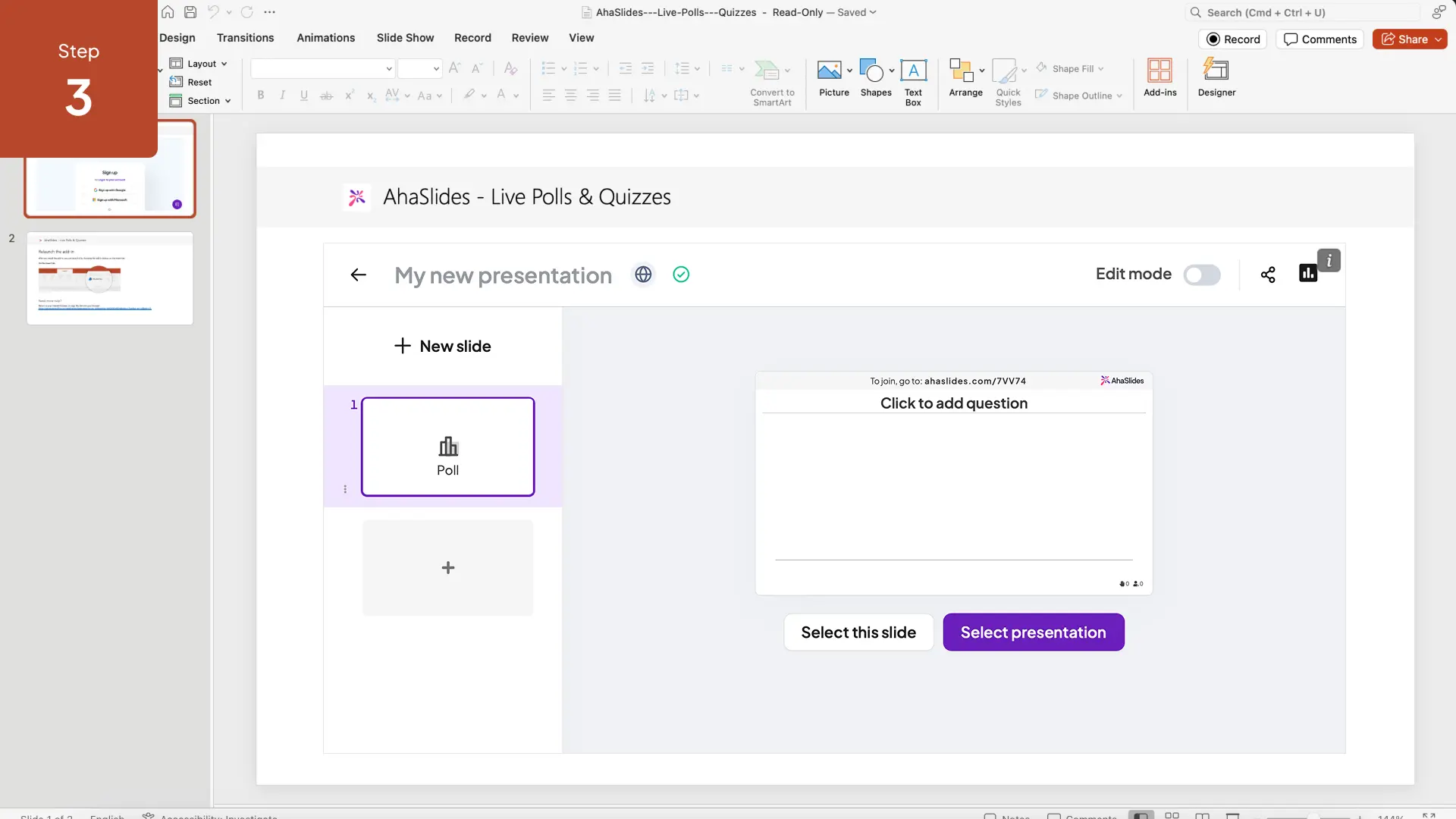
3. Insert an AhaSlides interactive slide into your deck.
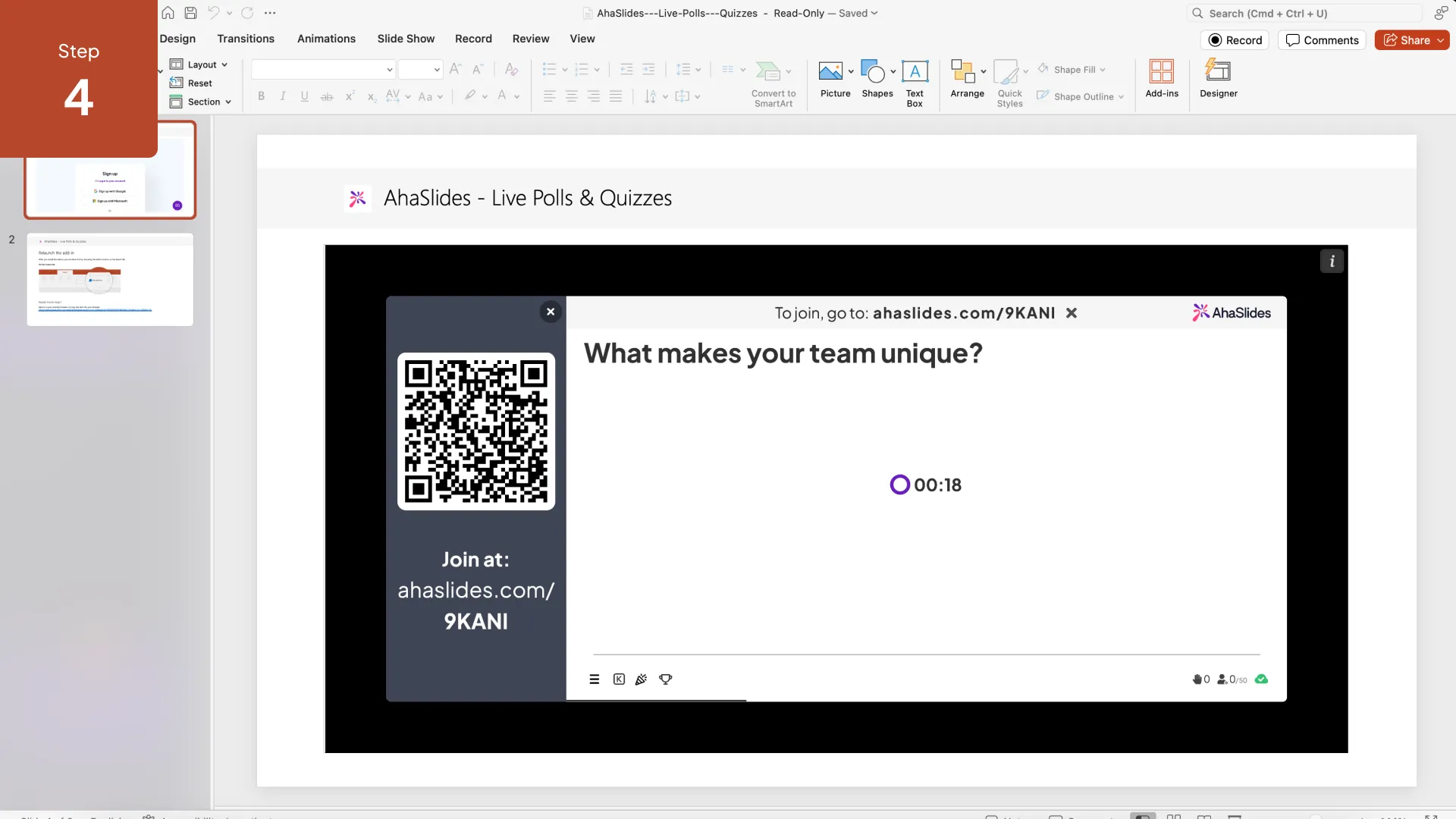
4. Run the slideshow—when you reach the AhaSlides slide, the interactive session launches automatically.
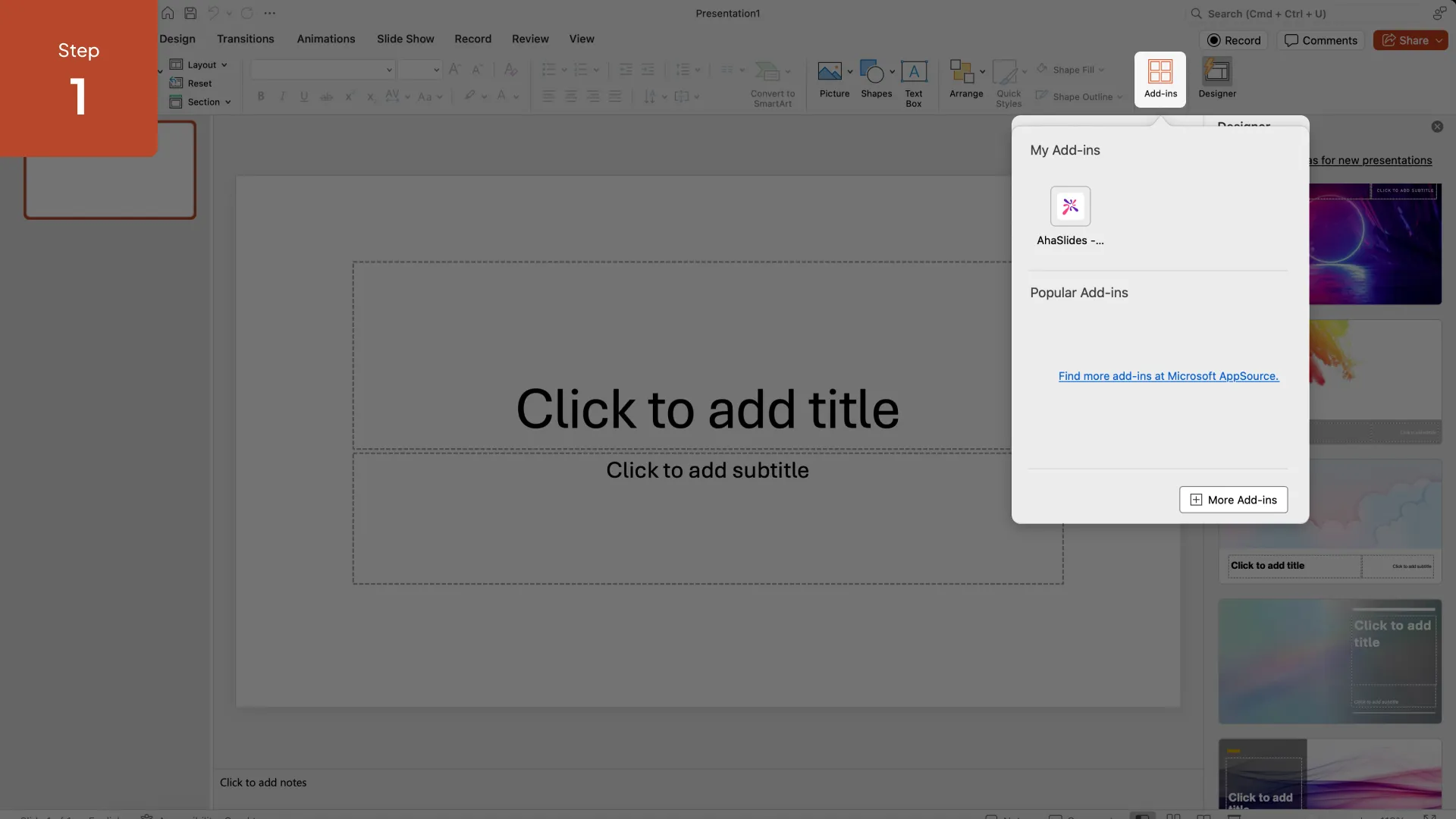
1. Open PowerPoint on your desktop and go to Insert → Add-ins → Get Add-ins.
2. Search for AhaSlides in the Microsoft AppSource store.
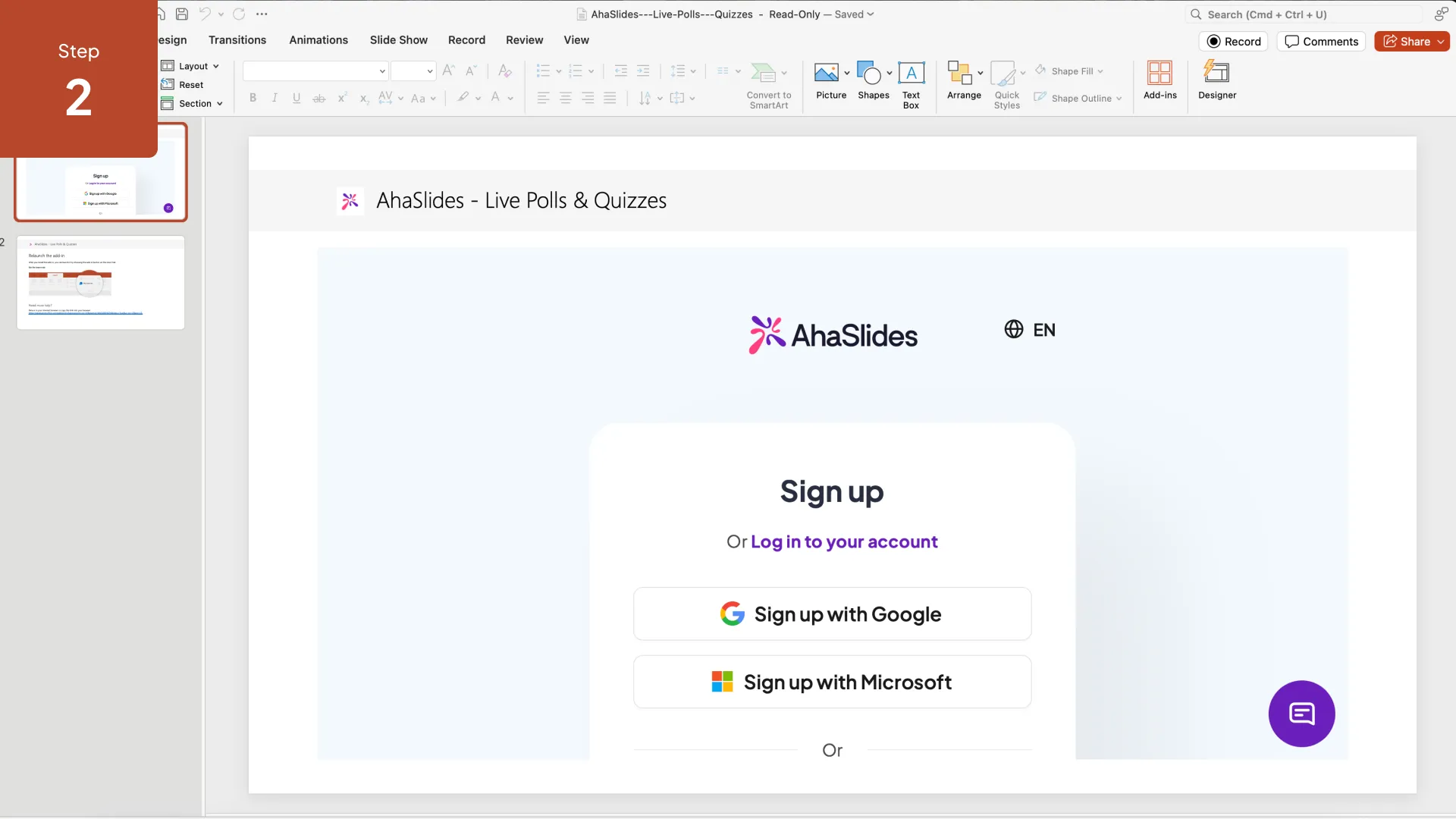
3. Install the add-in and sign in with your AhaSlides account when prompted.
4. AhaSlides will appear in your PowerPoint ribbon—ready to insert interactive slides into any deck.
Desktop-First Experience
Designed for presenters who work primarily in the full PowerPoint desktop app. No browser required on your side.
Seamless Slideshow Integration
Interactive slides appear in your deck like any other slide. The session launches automatically during the slideshow—no manual switching.
QR Code Joining
A QR code appears automatically so participants can join the session from their phones in seconds.
Full Activity Support
Polls, quizzes, word clouds, Q&A, and all other AhaSlides activity types are available in the desktop add-in.
.svg)
