Fired up Engagement with Interactive Presentations.
End of blank stares and mediocre sessions. We will show you how just a few clicks can bring any presentation to life.
Pagboto
Real-time Polling: Power to The People
Kunin ang real-time scoop sa kung ano ang iniisip ng iyong karamihan. Gumamit ng mga poll, survey scale, word clouds at brainstorms para may boses ang LAHAT.


presinto
Poll opinions, sentiments and anything you want to ask the audience.

Survey Scales
Catch all important insights in a big net with AhaSlides survey scales.


Idea Sharing
Audiences can submit ideas and vote. Great for brainstorming sessions.
| Mga tampok | paglalarawan | Libre? |
|---|---|---|
| Self-paced pagsisiyasat | Get honest and real opinions from the participants anytime with AhaSlides’ self-paced feature. | ✅ |
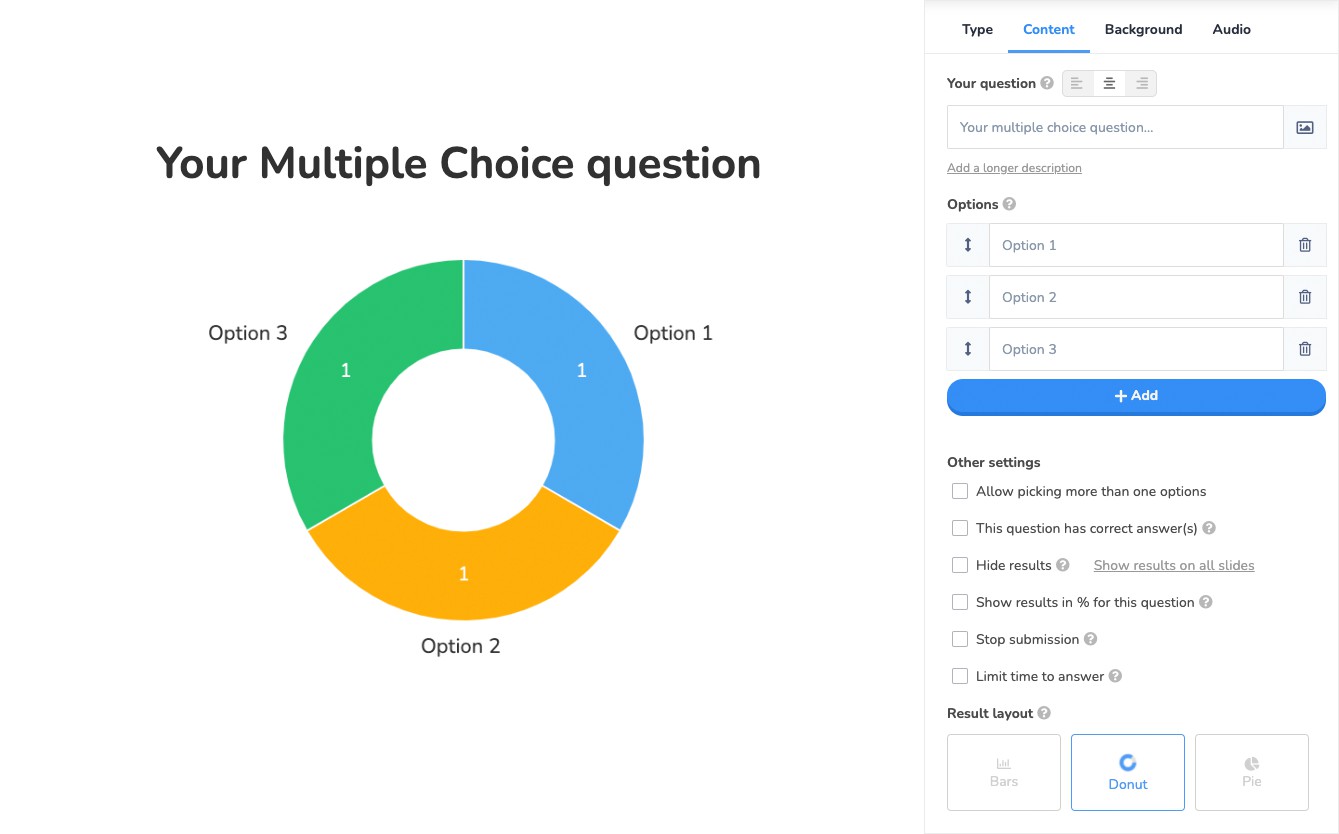
| Mga uri ng tsart | Reveal your audience’s opinions through dynamic charts presented as donuts, graphs or bars. | ✅ |
| Ipakita o itago ang mga resulta | Choose to show results while participants are submitting, or keep them hidden for a big reveal at the end. | ✅ |
| See results on phone | Your participants can see the full results of a multiple-choice or image-choice slide on their phones. | ✅ |
| Mga limitasyon sa oras | Add a time limit to your questions to ensure rapid responses. | ✅ |
| Gather feedbacks | Know your area of improvement with feedback from the participants after completion. | ✅ |
Mga Pagsusulit at Laro
Thrilling Quizzes: Make Checkpoints Fun
Level up your content with live na pagsusulit, leaderboards and team challenges. Watch as participants lean in, desperate to master the material and claw their way up the podium.


Uri
Use quiz questions with text, images, audio and more for a true multimedia trivia experience!

Pangkatang laro
Group your players and have them work together – 3 different team scoring modes to choose from.

Spinner Wheel
Pick anything at random with the spinner wheel! An easy way to reach peak engagement.

Libreng Mga Template
Save time and effort by grabbing quizzes in our community templates for free!

Libreng Habang Panahon
Your presentations won’t disappear anywhere. They will be stored in the account for as long as you want.

Self-Paced
If selected, the audience can progress through questions and quizzes at any time.
| Mga tampok | paglalarawan | Libre? |
|---|---|---|
| Self-paced quizzing | Have players complete the quiz without a host. Great for reinforcing learning. | ✅ |
| Different quiz types | Varies your quiz types to ensure engagements on the fly with Pares ng Pareha at Tamang Order. | ✅ |
| Timer ng countdown | Enable or disable a 5-second countdown timer, where players can see the question but can’t answer. | ✅ |
| Shuffle options | Randomly shuffle quiz questions to ensure participants can’t cheat! | ✅ |
| Leaderboard | Use a colourful leaderboard to show the standings at any point in your quiz. Shows team and individual scores. | ✅ |
| Open-ended moderation | See a full list of answers offered in a ‘type answer’ slide and handpick the ones you want to accept. | ✅ |
Q&A
Moderated Q&A: Keep Everyone Following
Take the fastest route to dynamic discussions with an organised AhaSlides Q&A before, during, and after the presentation.


Samahan
See questions in an orderly table. Address the most recent or popular queries, save them as answered or pin them for later.


pagkawala ng lagda
Toggle no-name questions to give lahat a voice. Allow the shyest of participants to be heard.
| Mga tampok | paglalarawan | Libre? |
|---|---|---|
| Pagboto | Let participants vote for the questions they want to see answered through the upvote system. | ✅ |
| Continuous Q&A | Allow the audience to send you questions throughout the presentation, or save them for a Q&A slide. | ✅ |
| Team moderation | Pass the moderation responsibilities to anyone, meaning they can filter the questions while you focus on answering them. | ✅ |
| Hide questions | Choose to conceal incoming questions so only you can see them. | ✅ |
| Filter ng kabastusan | Censor swear words in submitted questions. | ✅ |
pagpapasadya
Customisation: Take The Experience to 11
From start to finish, creating and altering your presentation is as simple and smooth as your favourite presentation software.

Angkat
Import your Google Slides or PowerPoint presentations to add a kick of AhaSlides’ interactivity.

Multi-Slide Editing
Edit 2 or more slides at the same time. Duplicate, copy or alter en masse.

Tulungang Pag-edit
Coordinate and collaborate on presentations for free. Slash preparation time with your friend or colleague.


Personalise Slides
Add dashes of fun or keep your slides strictly professional with AhaSlides’ variety of themes.

I-embed ang Audio
Add an audio clip to your slide. Playable on all audience members’ devices.
| Mga tampok | paglalarawan | Libre? |
|---|---|---|
| Image and GIF libraries | Choose from thousands of image and GIF options across integrated libraries. | ✅ |
| Customise multiple slides | Change the backgrounds of multiple slides at the same time. | ✅ |
| Slide variety | 17 slide types and growing! Make it varied through polls, quizzes and content slides. | ✅ |
| grid view | See an expanded presentation index in grid view and move slides around with ease. | ✅ |
| Participant view | See how your slide will look on your participants’ mobile screens. | ✅ |
| Share presentations | Instantly download any presentation via a shareable link. You can then edit it however you want. | ✅ |
| Folder | Organise your presentations into different folders on the dashboard. | ✅ |
| Public or private mode | Toggle whether or not your audience can interact with your slides while you’re editing them. | ✅ |
| Pagba-brand | Place your own logo in the corner of all slides in your presentation. | I-upgrade |
Pagtatanghal
Magbigay Your Presentation a Chance to Shine
Publish your presentation to our beautiful template library. Help others engage better by going public with your template.

| Mga tampok | paglalarawan | Libre? |
|---|---|---|
| Laki ng madla | Allow up to 10,000 people to join your presentation at one time. | 7 kalahok. Upgrade for more. |
| Template | You can public your presentations as templates, and grab one from others in the Template Library masyadong. | ✅ |
| Pagbabahagi ng imahe | On an open-ended slide, participants can upload images from their phone | ✅ |
| Ipakita ang wika | Pumili mula sa 15 in-built display languages to show your audience in your presentation. | ✅ |
| Mobile-friendly na interface | No matter what’s on your slide, it looks great on mobile. | ✅ |
| Share online | Participants can share their quiz scores across social media with just one tap. | ✅ |
| Reaksyon | Let participants react to your slides with fun emojis for heightened engagement. | ✅ |
After your Event
Kunin ang Buong Larawan
See a full report of audience engagement, download the response data and share your full presentation with others.


Kunin ang Ulat
See your engagement rate, top slides and how players performed on your quiz.

Share Presentation
Share your presentation with audience responses via a permanent link.

Pag-export sa Excel
Export response data from your presentation into a spreadsheet or PDF (Paid plan only).

Magsimula nang Libre.
Elevate your engagement. Sign up to AhaSlides for free – no credit card required!
Let’s Engage