


Most staff meetings waste time. Research puts the cost at $37 billion per year in lost productivity across U.S. organizations, and 71% of senior executives say meetings are unproductive and inefficient [1]. The average employee now sits through roughly 392 hours of meetings a year, more than 16 full working days [1].
The problem is rarely the idea of meeting. It's how meetings get run. When staff meetings have a clear agenda, focused discussion, and genuine participation, they are one of the most effective tools a manager has: they surface problems early, keep teams aligned, and build the kind of shared context that's hard to get any other way.
Below are 10 dos and don'ts that cover both sides of the table, for people running the meeting and for those attending.
Why staff meetings go wrong
Before the dos and don'ts, it helps to understand the core failure modes.
Only 37% of workplace meetings are run with a formal agenda [1]. Without one, discussions drift, dominant voices fill the silence, and the meeting ends without clear decisions or owners. Add in the fact that 44% of workers say they dread meetings [1], and you have a format that carries a serious credibility problem before anyone walks in the room.
The fix isn't complicated, but it does require discipline.
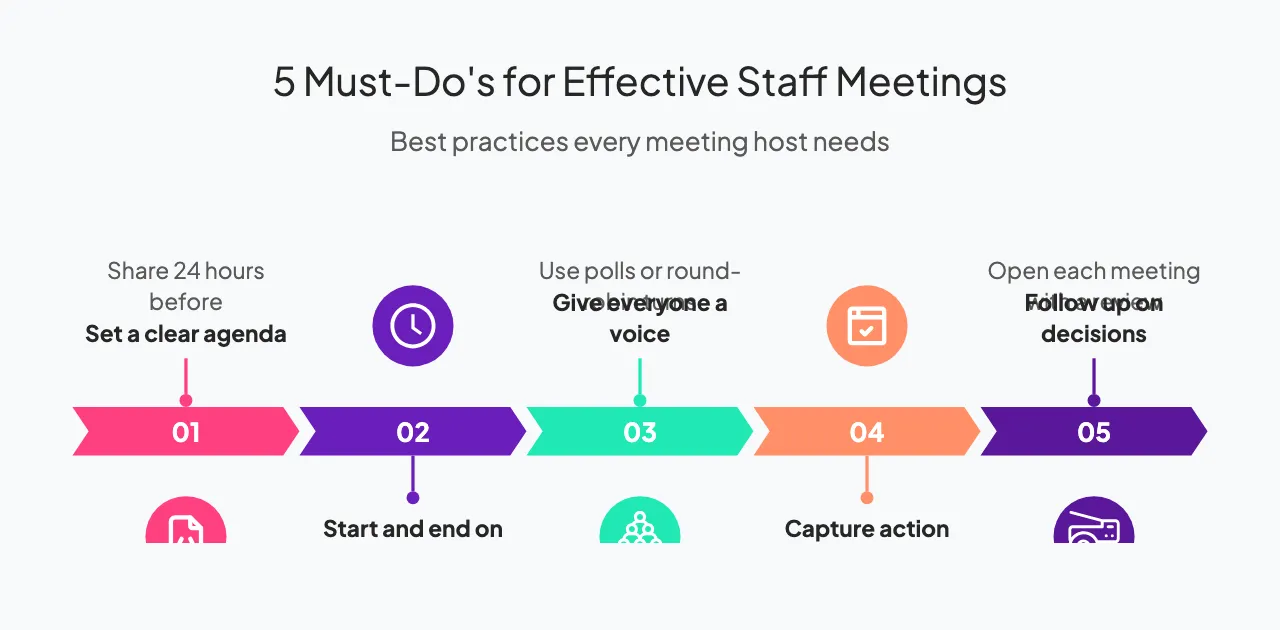
5 things to do in staff meetings
1. Prepare before you walk in
This applies to everyone in the room, not just the host. If an agenda goes out in advance, read it. Review any documents or data referenced. Come with a point of view on the items that affect your work.
When people arrive prepared, the meeting becomes a decision session rather than a catch-up. One team at a mid-size tech company cut their weekly staff meeting from 60 minutes to 35 by requiring all participants to submit one written update beforehand. The meeting itself became about resolving open questions, not recapping closed ones.
2. Start and end on time
Starting late trains your team that punctuality doesn't matter. Ending late trains them that the meeting will bleed into their next commitment, so they stop engaging in the final stretch.
If you're hosting, treat the scheduled end time as a hard stop. If a topic needs more time, table it and schedule a follow-up with the people who actually need to be in that conversation. Not every issue belongs in front of the whole team.
3. Give everyone a reason to speak
Balanced participation is one of the clearest markers of a well-run meeting. Meetings that welcome input from all participants are considered unproductive only 23% of the time, compared to 66% when new ideas are discouraged [2].
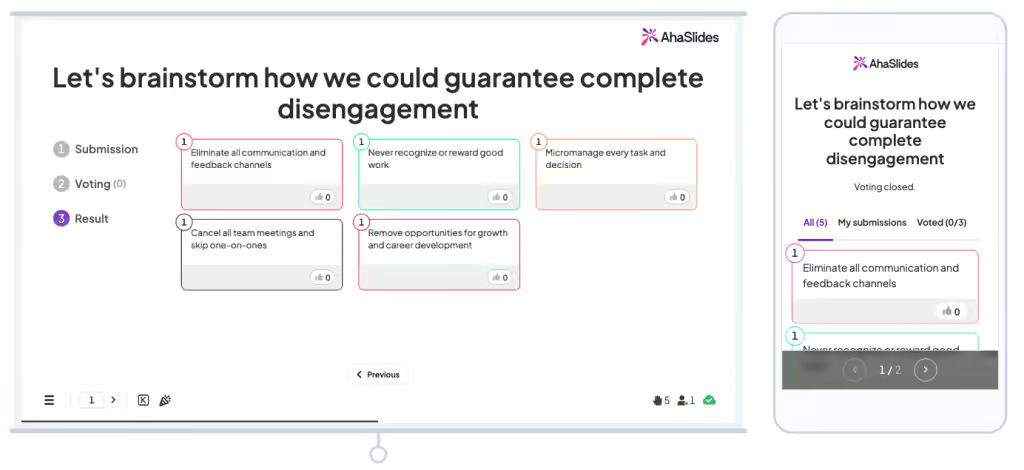
The host's job is to create the conditions for that. Ask specific people for their view rather than opening the floor generically. Use a round-robin format for certain agenda items. If you're using a tool like AhaSlides, run a live poll or open Q&A at the end of a presentation. Anonymous submission removes the social friction that keeps quieter team members from contributing.
4. Take notes with action items
Meeting notes that summarize discussion without capturing decisions and owners are nearly useless. Every action item needs three things: what needs to happen, who owns it, and when it's due.
Share the notes within 24 hours while the meeting is still fresh. This also creates accountability. People are more likely to follow through when they know a record exists.
5. Follow up on what was decided last time
Start each recurring staff meeting with a brief review of the previous session's action items. This closes the loop, builds a culture of follow-through, and signals that decisions made in meetings actually matter.
If items keep rolling over week after week without progress, that's a signal worth surfacing directly rather than ignoring.
5 things to avoid in staff meetings

1. Don't let one person dominate
Every team has someone who talks more than their share. Left unchecked, this suppresses input from others and skews the direction of the meeting toward one perspective.
As the host, you have permission to redirect. "That's a useful point. Let's hear from a few other people before we move on" is a low-conflict way to open the floor. It doesn't require calling anyone out.
2. Don't run meetings that should have been an email
Not every update needs a meeting. If the purpose is purely informational and no one needs to weigh in, a written summary is faster and easier to reference later. Reserve meeting time for things that benefit from live discussion: decisions with competing options, problems that need group input, or situations where misalignment is likely.
A useful test: if you could write an email that would fully replace this meeting, you probably should.
3. Don't let the agenda slide
Agenda drift is how a 30-minute meeting becomes 75 minutes. When a topic comes up that isn't on the agenda, acknowledge it, add it to a "parking lot" list, and keep moving. This isn't about being rigid, it's about respecting everyone's time and ensuring the items that were planned actually get covered.
If the off-agenda topic is urgent, make an explicit call: "This seems important enough to address now. Is everyone okay if we adjust the agenda?" That keeps the decision visible rather than letting the meeting get quietly hijacked.
4. Don't skip the Q&A
Ending a meeting without opening the floor for questions signals that the meeting was a broadcast, not a conversation. Even five minutes of open Q&A at the end changes the dynamic.
If you're presenting information that might prompt sensitive questions, anonymous tools make this easier. A live Q&A through AhaSlides lets participants submit questions in real time without social pressure, and the host can address them in priority order. This is especially useful in all-hands meetings or sessions with a wide seniority range in the room.
5. Don't ignore the relational side
Staff meetings are not just coordination mechanisms. They're one of the few recurring moments when the full team is in the same room (or the same call). Treating every minute as strictly transactional misses an opportunity to build the kind of team cohesion that makes work easier the rest of the week.
A brief check-in question at the start, a shoutout for something a team member did well, or a quick icebreaker before a difficult discussion can change the tone of the meeting without adding significant time. Teams with high psychological safety consistently outperform those without it,[3] and staff meetings are one place that safety gets built or eroded.
What a well-run staff meeting looks like
A structure that works for most weekly team meetings of 6-12 people: open with a 5-minute check-in to set tone and recognize contributions, then spend 5 minutes reviewing action items from the last session. The core agenda items - decisions and updates that need live discussion - should take 20-30 minutes. Close with 5 minutes of open Q&A to surface anything not on the agenda, then 5 minutes to confirm owners and deadlines. Total: 40-50 minutes.
Common mistakes to avoid
Even managers who follow most of the dos and don'ts above can fall into a few patterns that quietly undermine meeting quality over time.
Inviting too many people. A meeting with 15 attendees almost always has five who don't need to be there. Larger groups mean slower decisions, more off-topic comments, and less accountability. Before you send an invite, ask whether each person needs to contribute or decide something. If they're only there to be informed, send them the notes afterward.
Sending the agenda too late. An agenda distributed five minutes before a meeting offers almost none of the benefits of having one. The goal is to give people enough time to prepare a point of view, review relevant information, and flag anything that's missing. Twenty-four hours in advance is a reasonable minimum for a weekly staff meeting.
Using the same format for every meeting. A standing weekly update and a quarterly planning session have different goals and different participation needs. Running both like a status check, where one person talks and others listen, wastes the planning session. Matching the meeting format to the purpose (brainstorm, decision, update, retrospective) makes each one more effective.
Skipping the retrospective. Most teams never formally evaluate whether their recurring meetings are working. A simple question at the end of the quarter, like "Is this meeting still the best use of this time?", can surface problems before they calcify. Meetings that outlive their purpose tend to generate resentment, not results.
Frequently asked questions
How long should a staff meeting be?
For most weekly team check-ins, 30 to 50 minutes is the right range. Shorter works if your team uses written pre-reads to replace verbal updates. Longer is occasionally necessary for planning sessions or decisions with significant complexity, but should be the exception. The goal is to use only as much time as the agenda actually requires, not to fill a default 60-minute block.
How often should staff meetings happen?
Weekly is the most common cadence for team-level staff meetings, and it works well when there's enough going on to warrant live discussion each week. Some teams do better with bi-weekly meetings supplemented by async updates. The right cadence depends on the pace of your work, the size of your team, and how much coordination happens in other channels. If your weekly meeting consistently runs out of agenda items, that's a sign to reduce frequency.
What's the difference between a staff meeting and a team meeting?
The terms are often used interchangeably, but "staff meeting" sometimes refers specifically to a meeting of direct reports led by a manager, while "team meeting" can mean any gathering of a working group. In practice, the format and best practices are the same: clear agenda, defined outcomes, and balanced participation.
Running interactive staff meetings with AhaSlides
Most meeting tools are built for the person presenting, not for everyone else in the room. AhaSlides builds interaction directly into the meeting format instead. Live polls let you take a quick temperature check on a decision. Word clouds surface what's on people's minds without anyone having to speak first. A spinner wheel or team quiz can serve as an icebreaker that actually lands. Anonymous Q&A lets quieter team members ask the questions they wouldn't ask in open discussion.
The results show up in real time, which means you can act on them in the meeting rather than compiling survey data afterward. For managers running weekly staff meetings, that immediacy is the difference between a meeting that generates useful signal and one that doesn't. It also gives remote or hybrid attendees the same opportunity to participate as people who are physically in the room, which matters more as distributed teams become the norm.
Sources
[1] Flowtrace / compiled meeting statistics. "100 Surprising Meeting Statistics for 2026." https://www.flowtrace.co/collaboration-blog/50-meeting-statistics
[2] Fellow.app. "45 Meeting Statistics and Behavior Trends in 2025." https://fellow.app/blog/meetings/meeting-statistics-the-future-of-meetings-report/
[3] Edmondson, A. (1999). "Psychological Safety and Learning Behavior in Work Teams." Administrative Science Quarterly, 44(2), 350–383. Foundational research on psychological safety and team performance.