


ClassPoint 是一款功能强大的 PowerPoint 插件,可用于课堂互动,但它有一个很大的限制:它只能在 Windows 系统下的 Microsoft PowerPoint 中运行。这使得使用 Mac、iPad、Chromebook 的教师,以及任何没有统一使用单一演示工具的学校都无法使用它。
如果你遇到了这样的难题,本指南涵盖了五种适用于所有设备和操作系统的替代方案,因此你的互动活动不会取决于你站在哪台电脑前。

在选择 ClassPoint 的替代方案时,应该注意哪些方面?
在查看具体列表之前,先简要概括一下切换时需要考虑的因素:
- 跨平台支持: 无需插件或安装,即可在 Mac、Windows、iOS、Android 和 Chromebook 上运行。
- 观众参与的简易性: 学生可通过网址或二维码加入,无需注册账号。
- 互动方式: 除了选择题之外,还包括开放式问题、词云、投票和问答环节。
- 定价透明度: 提供清晰易用的免费套餐,付费方案无需预先签订年度合同。
ClassPoint 的 5 个最佳替代方案一览
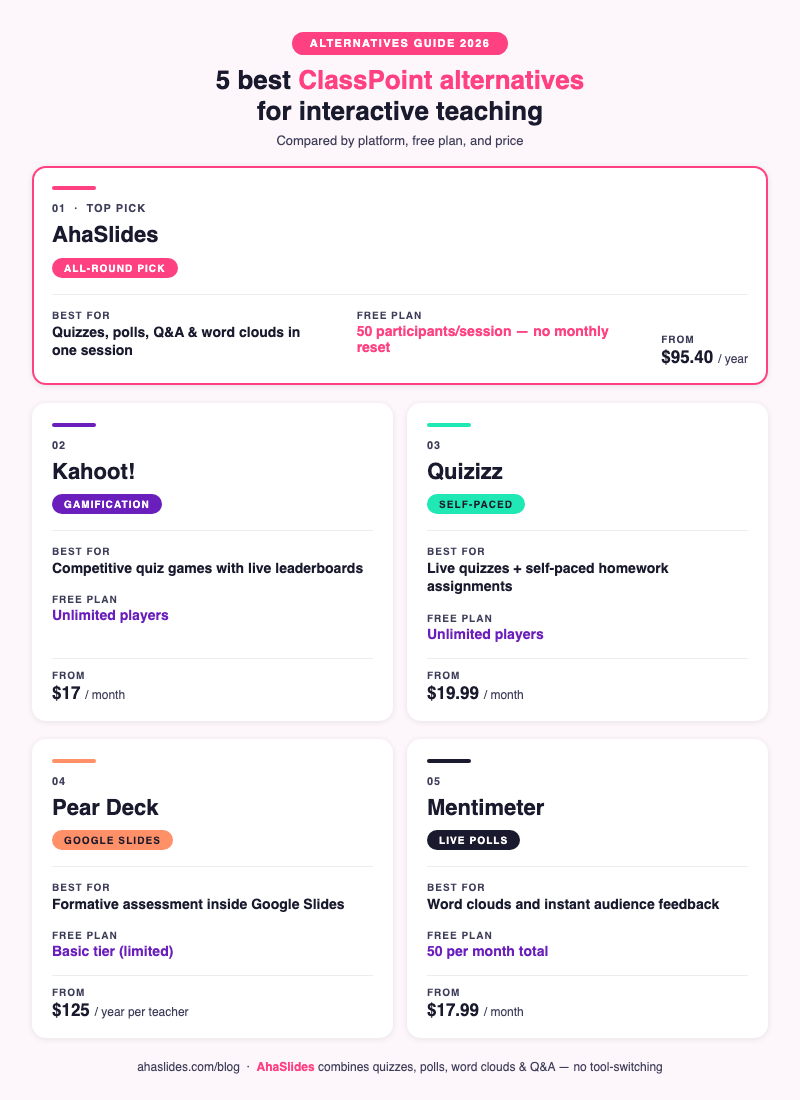
| 工具 | 最适合 | 平台 | Free plan | 起始价 |
|---|---|---|---|---|
| 幻灯片 | 全方位教学与培训 | 任何设备,基于浏览器 | 每节课 50 名参与者 | $ 95.40 /年 |
| Kahoot! | 游戏化问答比赛 | 任何设备,基于浏览器 | 无限玩家 | $ 17 /月 |
| 测验 | 自主学习和实时测验 | 任何设备,基于浏览器 | 无限玩家 | $ 19.99 /月 |
| 梨甲板 | Google Slides 或 PowerPoint 用户 | 基于浏览器的(插件) | 基本(有限的回答) | 每位教师每年125美元 |
| 测力计 | 实时投票和即时反馈 | 任何设备,基于浏览器 | 每月 50 名参与者 | $ 17.99 /月 |
1. 幻灯片

最适合:需要将测验、投票、词云和问答功能集中在一个地方,并可在任何设备上使用的教育工作者
AhaSlides 是一款基于浏览器的交互式演示工具,无需安装即可在所有平台上使用。它涵盖了 ClassPoint 提供的所有交互类型,以及 ClassPoint 没有的几种:实时问答(观众可投票)、转盘、头脑风暴幻灯片和竞赛排行榜。
ClassPoint 是 PowerPoint 的一部分,而 AhaSlides 既可以作为独立平台运行,也可以作为PowerPoint 插件或Google Slides 集成,因此您不必放弃现有的演示文稿文件即可使用它。
免费套餐包含每节课最多 50 名参与者,且无月度重置限制,足以满足大多数班级规模的需求。测验幻灯片类型包含实时排行榜、计时器和即时对错反馈的评分功能,与 ClassPoint 的核心互动功能相符。所有套餐均提供匿名问答和点赞功能。
参与者可以通过任何浏览器中的 URL 或二维码加入,无需注册账号或下载应用程序。
免费计划: 每节课 50 名参与者,5 张测验幻灯片和 3 张投票幻灯片
付费计划: 每年95.40美元起(每月账单23.95美元起)
平台: Mac、Windows、iOS、Android、Chromebook(任何浏览器)
2. 卡胡特!
最适合:希望为 K-12 年级课程提供竞争性、游戏化测验体验的教师
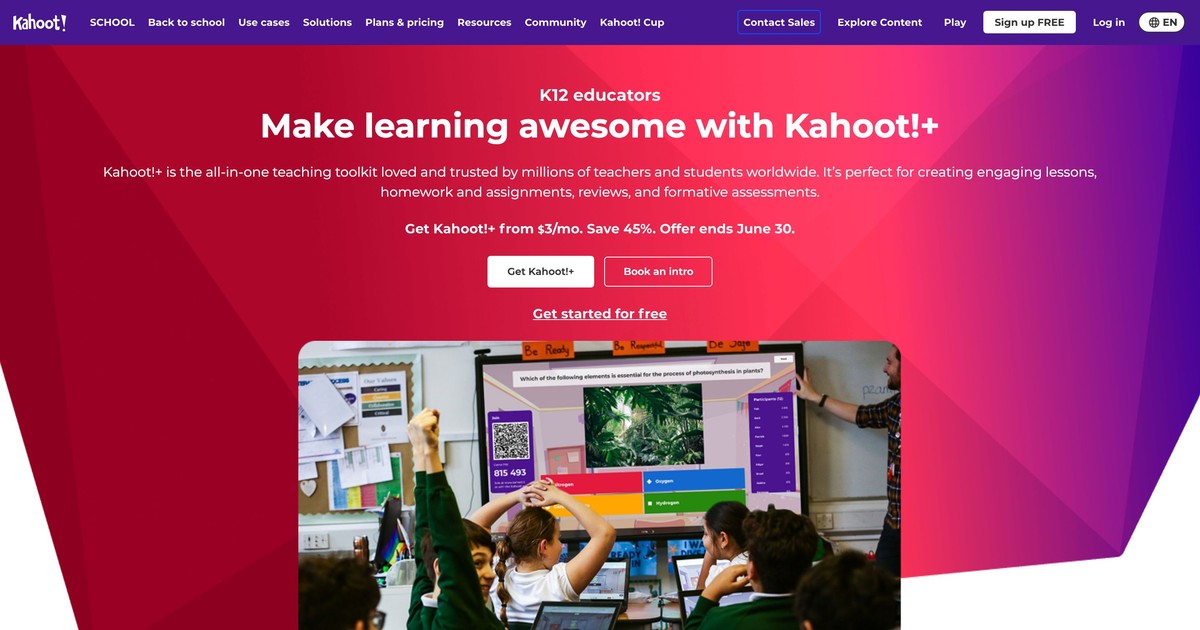
Kahoot! 在全球拥有超过 300 亿用户,并在 K-12 学校中广泛用于游戏化学习 [1]。它的形式独特:每个测验都是一场限时竞赛,学生需要尽可能快地作答,速度和准确度都会影响得分。
与 ClassPoint 相比,Kahoot! 在游戏化方面更胜一筹。倒计时、音效和庆祝动画营造出一种竞争氛围,这是 ClassPoint 更为实用的界面所无法比拟的。对于考前复习这类知识问答环节来说,Kahoot! 的确很难被超越。
但缺点是,Kahoot 的形式除了测验之外,几乎不适用于其他任何用途。它没有实时投票、词云、开放式文本回答,也没有问答环节。如果你想要的功能不仅仅是基于游戏的记忆练习,你需要借助其他工具。
免费计划: 基础问答游戏玩家人数不限
付费计划: 每月17美元起(学校套餐,包含内容库和报告)
平台: 任何浏览器均可使用,无需安装
3. 测验
最适合:希望在一个工具中同时实现课堂实时测验和自主学习作业的教育工作者
Quizizz 相较于 ClassPoint 的最大优势在于其双模式:您可以实时进行课堂测验并设置排行榜,也可以将测验作为自主学习作业,让学生自行安排时间完成。ClassPoint 仅支持实时同步使用。
学生自主学习模式对于翻转课堂或差异化教学尤为实用,因为学生可以借助提示重试错误答案,按照自己的节奏学习,并查看详细的反馈。教师控制面板则实时显示学生个人和班级的表现。
Quizizz 还与 Google Classroom 集成,可直接分发作业,从而减少共享活动链接的麻烦。
免费计划: 玩家人数不限,测验类型基础,报告数量有限。
付费计划: 每月 19.99 美元起(高级题型、完整报告、无广告)
平台: 任何浏览器,以及适用于 iOS 和 Android 的专用应用程序
4.梨甲板

最适合:已经在使用 Google Slides 且希望在不切换平台的情况下添加形成性评价的教师
对于 Google Slides 用户来说,Pear Deck 是最接近 ClassPoint 的工具。它是一款直接在 Google Slides 中运行的插件(也支持 PowerPoint),让您无需离开 Google Slides 即可将交互式问题嵌入到现有的幻灯片中。
交互类型包括选择题、文本作答、绘图作答、拖拽作答和网站嵌入。教师控制面板实时显示全班所有作答情况,而学生自主学习的“单词卡工厂”模式则有助于词汇复习。
主要限制在于价格:一些重要功能(例如绘图反馈、实时仪表盘、学生自主学习模式)需要付费的高级版才能使用。免费版的功能非常有限。
免费计划: 基本的交互式幻灯片,有限的反馈类型
付费计划: 每位教师每年 125 美元(高级版,包含完整仪表盘和形成性评估工具)
平台: Chrome 浏览器(Google Slides 插件)、PowerPoint 桌面版
5. 测压计
最适合:主要需要实时投票、词云和评分量表进行快速签到的教育工作者
Mentimeter 是一款以演示为主的工具,专注于实时观众反馈。它的词云幻灯片类型备受好评:观众实时输入词语,这些词语会随着提交次数的增加而显示在屏幕上,并根据提交次数增大。对于头脑风暴或情绪分析练习来说,它是这份清单上的绝佳选择。
核心限制在于每月参与人数的重置。免费套餐每月总共允许 50 名参与者,而不是每节课 50 名。如果您每周开设三节课,很快就会达到人数上限。AhaSlides 的免费套餐允许每节课 50 名参与者,且没有每月人数上限。
Mentimeter 没有像 ClassPoint、Kahoot! 或 AhaSlides 那样具有竞争性的排行榜计分测验,这限制了它在复习游戏中的应用。
免费计划: 每月50名参与者,每次演讲5个问题
付费计划: 每月17.99美元起(年付计划)
平台: 任何浏览器均可使用,无需安装
如何选择
| 如果您需要…… | 一起去 |
|---|---|
| 最全能的选手 | 幻灯片 |
| 最大程度的游戏化能量 | Kahoot! |
| 直播+自主学习相结合的灵活答题方式 | 测验 |
| Google Slides 中的形成性评价 | 梨甲板 |
| 仅限词云和即时投票 | 测力计 |
我们的判决
对于大多数想要替代 ClassPoint 的教育工作者来说,AhaSlides 的功能最为全面:它适用于所有设备和操作系统,无需安装,并且将测验、投票、问答和词云整合在一个会话中,而不是强迫你选择一种互动方式。如果你的课程非常注重游戏化教学,Kahoot! 和 Quizizz 也各有优势,但对于完整的课程流程而言,AhaSlides 仅需一个工具即可满足所有需求。
常见问题
ClassPoint是免费的吗?
ClassPoint 提供免费套餐,包含 PowerPoint 中的基本注释功能和有限的交互式幻灯片类型。免费套餐每节课最多支持 30 名学生。高级功能,例如学生表现报告和更多题型,需要付费套餐,起价为每位教师每月 9.99 美元。
ClassPoint 有哪些替代产品可以在 Mac 上运行?
列表中的五款工具均可通过网页浏览器在 Mac 上运行。ClassPoint 本身仅适用于 Windows 系统,这也是教育工作者寻找替代方案的最常见原因。AhaSlides、Kahoot!、Quizizz 和 Mentimeter 无需安装任何软件。Pear Deck 则以 Google Slides 插件的形式在 Chrome 浏览器中运行。
最好的免费 ClassPoint 替代方案是什么?
AhaSlides 的免费套餐可以满足大多数课堂需求:每节课最多 50 名参与者,无需每月重置,还提供带排行榜、投票、词云和匿名问答功能的实时测验。如果您只需要测验游戏,Kahoot! 和 Quizizz 也是不错的免费选择。
AhaSlides 是否像 ClassPoint 一样支持 PowerPoint?
是的。AhaSlides 有一个PowerPoint 插件,可以让你将交互式幻灯片直接嵌入到 PowerPoint 演示文稿中。它还可以与 Google Slides 集成,而 ClassPoint 完全不支持 Google Slides。
学生可以不创建账户就加入吗?
这里列出的五种工具都允许学生通过在手机或电脑浏览器中输入网址或扫描二维码来加入。无需学生账号、下载软件或注册。
更多替代方案指南
想了解其他热门课堂教学和互动工具的对比信息?这些指南涵盖了所有相关内容:
- 2026 年 12 个最佳 Kahoot 替代软件(免费和付费选项)
- 2026 年你会爱上的 6 款具有独特功能的 Mentimeter 替代品
- Slideo 的最佳替代方案:免费交互式工具指南
- 7 款最佳 Poll Everywhere 替代方案,助您提升观众参与度
- AhaSlides 的替代方案:2026 年的 8 款免费交互式工具
- 5 款适用于会议和培训的免费在线投票工具(2026 年)
来源
[1] Kahoot! (2023). Kahoot! 用户数突破 300 亿。https ://kahoot.com/blog/2023/03/kahoot-reaches-300-million-users/