


ClassPoint 是一款功能強大的 PowerPoint 插件,可用於課堂互動,但它有一個很大的限制:它只能在 Windows 系統下的 Microsoft PowerPoint 中運作。這使得使用 Mac、iPad、Chromebook 的教師,以及任何沒有統一使用單一演示工具的學校都無法使用它。
如果你遇到了這樣的難題,本指南涵蓋了五種適用於所有裝置和作業系統的替代方案,因此你的互動活動不會取決於你站在哪台電腦前。

如何選擇 ClassPoint 的替代方案
在查看具體清單之前,先簡單概括切換時需要考慮的因素:
- 跨平台支持: 無需插件或安裝,即可在 Mac、Windows、iOS、Android 和 Chromebook 上運行。
- 觀眾參與的簡易性: 學生可透過網址或二維碼加入,無需註冊帳號。
- 互動方式: 除了選擇題之外,還包括開放式問題、詞雲、投票和問答。
- 定價透明度: 提供清晰易用的免費套餐,付費方案無需預先簽訂年度合約。
ClassPoint 的 5 個最佳替代方案一覽
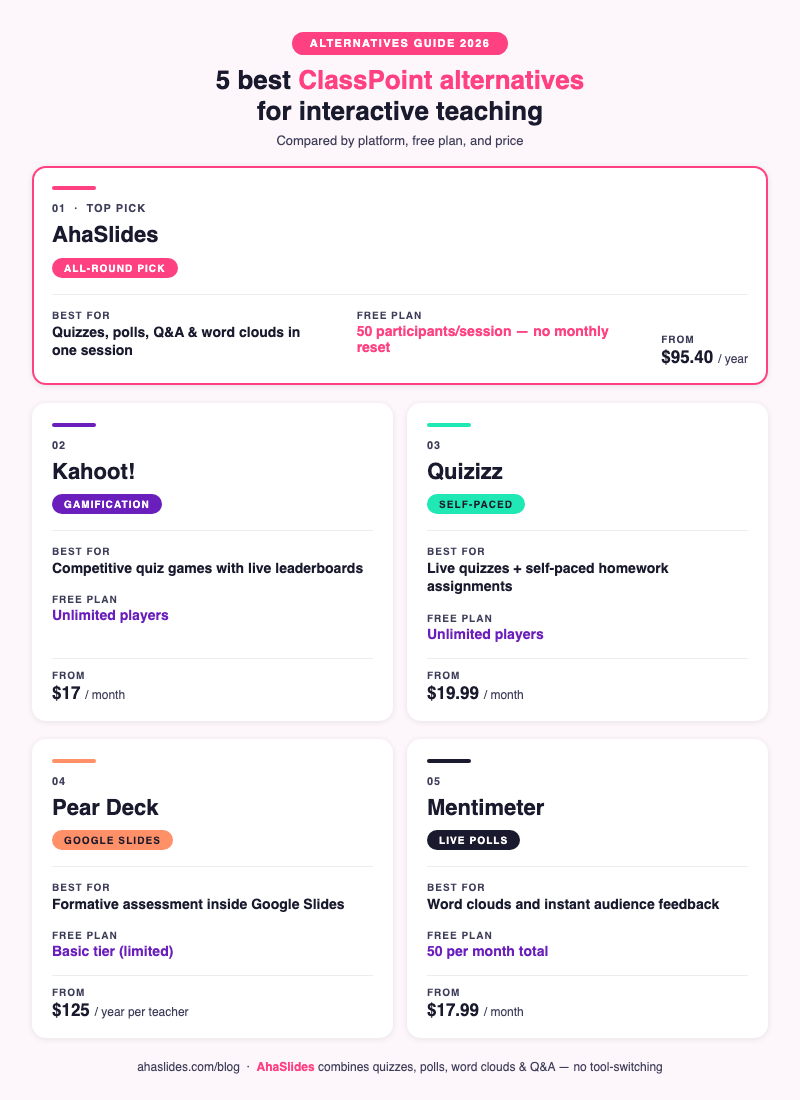
| 工具 | 最適合 | 系統平台 | Free plan | 起始價 |
|---|---|---|---|---|
| 啊哈幻燈片 | 全方位教學與培訓 | 任何設備,基於瀏覽器 | 每堂課 50 位參與者 | $ 95.40 /年 |
| hoo! | 遊戲化問答比賽 | 任何設備,基於瀏覽器 | 無限玩家 | $ 17 /月費 |
| 測驗 | 自主學習和即時測驗 | 任何設備,基於瀏覽器 | 無限玩家 | $ 19.99 /月費 |
| 梨甲板 | Google Slides 或 PowerPoint 用戶 | 基於瀏覽器的(插件) | 基本(有限的回答) | 每位教師每年125美元 |
| Mentimeter | 即時投票和即時回饋 | 任何設備,基於瀏覽器 | 每月 50 名參與者 | $ 17.99 /月費 |
1. AhaSlides

最適合:需要將測驗、投票、詞雲和問答功能集中在一個地方,並可在任何設備上使用的教育工作者
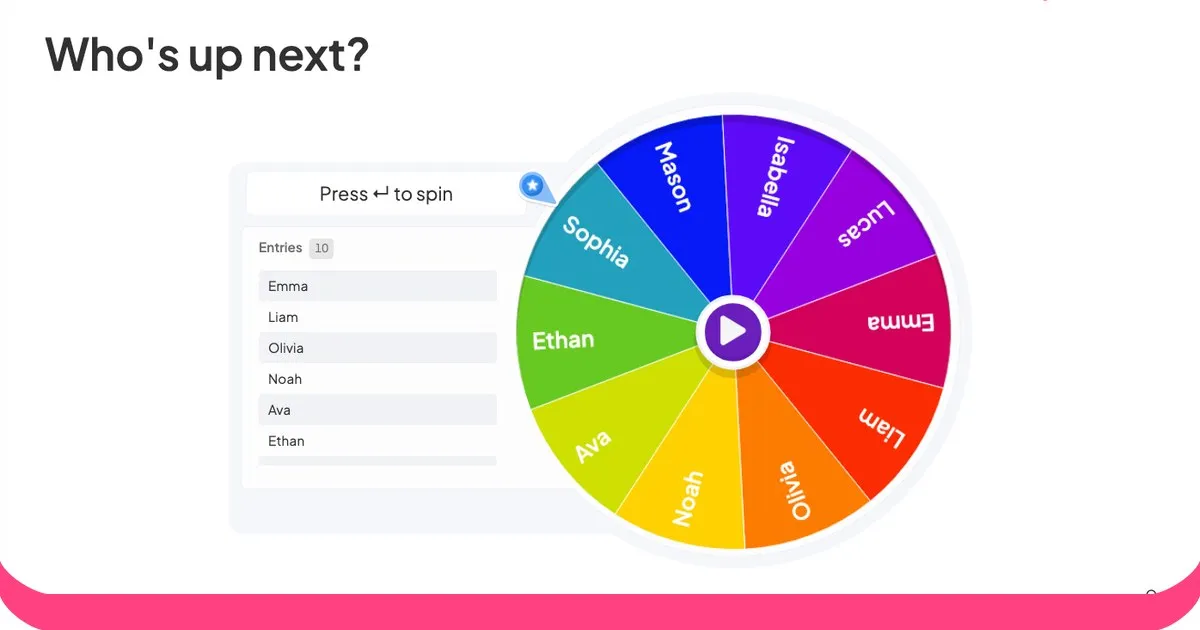
AhaSlides 是一款基於瀏覽器的互動式簡報工具,無需安裝即可在所有平台上使用。它涵蓋了 ClassPoint 提供的所有互動類型,以及 ClassPoint 沒有的幾種:即時問答(觀眾可投票)、轉盤、腦力激盪幻燈片和競賽排行榜。
ClassPoint 是 PowerPoint 的一部分,而 AhaSlides 既可以作為獨立平台運行,也可以作為PowerPoint 插件或Google Slides 集成,因此您不必放棄現有的簡報文件即可使用它。
免費套餐包含每節課最多 50 名參與者,且無每月重置限制,足以滿足大多數班級規模的需求。測驗投影片類型包含即時排行榜、計時器和即時對錯回饋的評分功能,與 ClassPoint 的核心互動功能相符。所有套餐均提供匿名問答和按讚功能。
參與者可以透過任何瀏覽器中的 URL 或二維碼加入,無需註冊帳號或下載應用程式。
免費計劃: 每堂課 50 位參與者,5 張測驗投影片和 3 張投票投影片
付費計劃: 每年95.40美元起(每月帳單23.95美元起)
平台: Mac、Windows、iOS、Android、Chromebook(任何瀏覽器)
2. 卡胡特!

最適合:希望為 K-12 年級課程提供競爭性、遊戲化測驗體驗的教師
Kahoot! 在全球擁有超過 300 億用戶,並在 K-12 學校中廣泛用於遊戲化學習 [1]。它的形式獨特:每個測驗都是一場限時競賽,學生需要盡可能快地作答,速度和準確度都會影響得分。
與 ClassPoint 相比,Kahoot! 在遊戲化方面更勝一籌。倒數計時、音效和慶祝動畫營造出一種競爭氛圍,這是 ClassPoint 更實用的介面無法比擬的。對於考前複習這類知識問答環節來說,Kahoot! 的確很難被超越。
但缺點是,Kahoot 的形式除了測驗之外,幾乎不適用於其他任何用途。它沒有即時投票、詞雲、開放式文字回答,也沒有問答環節。如果你想要的功能不只是基於遊戲的記憶練習,你需要藉助其他工具。
免費計劃: 基礎問答遊戲玩家人數不限
付費計劃: 每月17美元起(學校套餐,包含內容庫和報告)
平台: 任何瀏覽器均可使用,無需安裝
3. 測驗
最適合:希望在一個工具中同時實現課堂即時測驗和自主學習作業的教育工作者
Quizizz 相較於 ClassPoint 的最大優點在於其雙模式:您可以即時進行課堂測驗並設定排行榜,也可以將測驗作為自主學習作業,讓學生自行安排時間完成。 ClassPoint 僅支援即時同步使用。
學生自主學習模式對於翻轉教室或差異化教學特別實用,因為學生可以藉助提示重試錯誤答案,按照自己的步調學習,並查看詳細的回饋。教師控制面板則即時顯示學生個人和班級的表現。
Quizizz 還與 Google Classroom 集成,可直接分發作業,從而減少共享活動連結的麻煩。
免費計劃: 玩家人數不限,測驗類型基礎,報告數量有限。
付費計劃: 每月 19.99 美元起(高級題型、完整報告、無廣告)
平台: 任何瀏覽器,以及適用於 iOS 和 Android 的專用應用程式
4.梨甲板

最適合:已經在使用 Google Slides 且希望在不切換平台的情況下添加形成性評估的教師
對 Google Slides 使用者來說,Pear Deck 是最接近 ClassPoint 的工具。它是一款直接在 Google Slides 中運行的插件(也支援 PowerPoint),讓您無需離開 Google Slides 即可將互動式問題嵌入到現有的幻燈片中。
互動類型包括選擇題、文字回答、繪圖作答、拖曳作答和網站嵌入。教師控制面板即時顯示全班所有作答情況,而學生自主學習的「單字卡工廠」模式則有助於詞彙複習。
主要限制在於價格:一些重要功能(例如繪圖回饋、即時儀表板、學生自主學習模式)需要付費的高級版才能使用。免費版的功能非常有限。
免費計劃: 基本的互動式投影片,有限的回饋類型
付費計劃: 每位教師每年 125 美元(高級版,包含完整儀錶板和形成性評估工具)
平台: Chrome 瀏覽器(Google Slides 外掛程式)、PowerPoint 桌面版
5. 測壓計

最適合:主要需要即時投票、詞雲和評分量表進行快速簽到的教育工作者
Mentimeter 是一款以演示為主的工具,專注於即時觀眾回饋。它的詞雲幻燈片類型備受好評:觀眾即時輸入詞語,這些詞語會隨著提交次數的增加而顯示在螢幕上,並根據提交次數增加。對於腦力激盪或情緒分析練習來說,它是這份清單上的絕佳選擇。
核心限制在於每月參與人數的重置。免費套餐每月總共允許 50 名參與者,而不是每節課 50 名。如果您每週開設三節課,很快就會達到人數上限。 AhaSlides 的免費套餐允許每節課 50 名參與者,且沒有每月人數上限。
Mentimeter 沒有像 ClassPoint、Kahoot! 或 AhaSlides 那樣具有競爭性的排行榜計分測驗,這限制了它在複習遊戲中的應用。
免費計劃: 每月50位參與者,每次演講5個問題
付費計劃: 每月17.99美元起(年付計劃)
平台: 任何瀏覽器均可使用,無需安裝
如何選擇
| 如果您需要… | 一起去 |
|---|---|
| 最全能的選手 | 啊哈幻燈片 |
| 最大遊戲化能量 | hoo! |
| 直播+自主學習結合的彈性答題方式 | 測驗 |
| Google Slides 中的形成性評價 | 梨甲板 |
| 僅限詞雲和即時投票 | Mentimeter |
我們的判決
對於大多數想要替代 ClassPoint 的教育工作者來說,AhaSlides 的功能最為全面:它適用於所有設備和作業系統,無需安裝,並且將測驗、投票、問答和詞雲整合在一個會話中,而不是強迫你選擇一種互動方式。如果你的課程非常注重遊戲化教學,Kahoot! 和 Quizizz 也各有優勢,但對於完整的課程流程而言,AhaSlides 只需一個工具即可滿足所有需求。
常見問題
ClassPoint是免費的嗎?
ClassPoint 提供免費套餐,包含 PowerPoint 中的基本註解功能和有限的互動式投影片類型。免費套餐每節課最多支援 30 名學生。高級功能,例如學生表現報告和更多題型,需要付費套餐,起價為每位教師每月 9.99 美元。
ClassPoint 有哪些替代產品可以在 Mac 上運作?
清單中的五款工具均可透過網頁瀏覽器在 Mac 上運作。 ClassPoint 本身僅適用於 Windows 系統,這也是教育工作者尋找替代方案最常見的原因。 AhaSlides、Kahoot!、Quizizz 和 Mentimeter 無需安裝任何軟體。 Pear Deck 則以 Google Slides 插件的形式在 Chrome 瀏覽器中運作。
最好的免費 ClassPoint 替代方案是什麼?
AhaSlides 的免費套餐可以滿足大多數課堂需求:每節課最多 50 名參與者,無需每月重置,還提供帶有排行榜、投票、詞雲和匿名問答功能的即時測驗。如果您只需要測驗遊戲,Kahoot! 和 Quizizz 也是不錯的免費選擇。
AhaSlides 是否像 ClassPoint 一樣支援 PowerPoint?
是的。 AhaSlides 有一個PowerPoint 插件,可以讓你將互動式投影片直接嵌入到 PowerPoint 簡報中。它還可以與 Google Slides 集成,而 ClassPoint 完全不支援 Google Slides。
學生可以不建立帳戶就加入嗎?
這裡列出的五種工具都允許學生透過在手機或電腦瀏覽器中輸入網址或掃描二維碼來加入。無需學生帳號、下載軟體或註冊。
更多替代方案指南
想了解其他熱門課堂教學和互動工具的比較資訊?這些指南涵蓋了所有相關內容:
- 2026 年 12 個最佳 Kahoot 替代軟體(免費和付費選項)
- 2026 年你會愛上的 6 款具有獨特功能的 Mentimeter 替代品
- Slideo 的最佳替代方案:免費互動式工具指南
- 7 款最佳 Poll Everywhere 替代方案,協助您提升觀眾參與度
- AhaSlides 的替代方案:2026 年的 8 款免費互動式工具
- 5 款適用於會議和培訓的免費線上投票工具(2026 年)
來源
[1] Kahoot! (2023). Kahoot! 用戶數突破 300 億。 https ://kahoot.com/blog/2023/03/kahoot-reaches-300-million-users/