

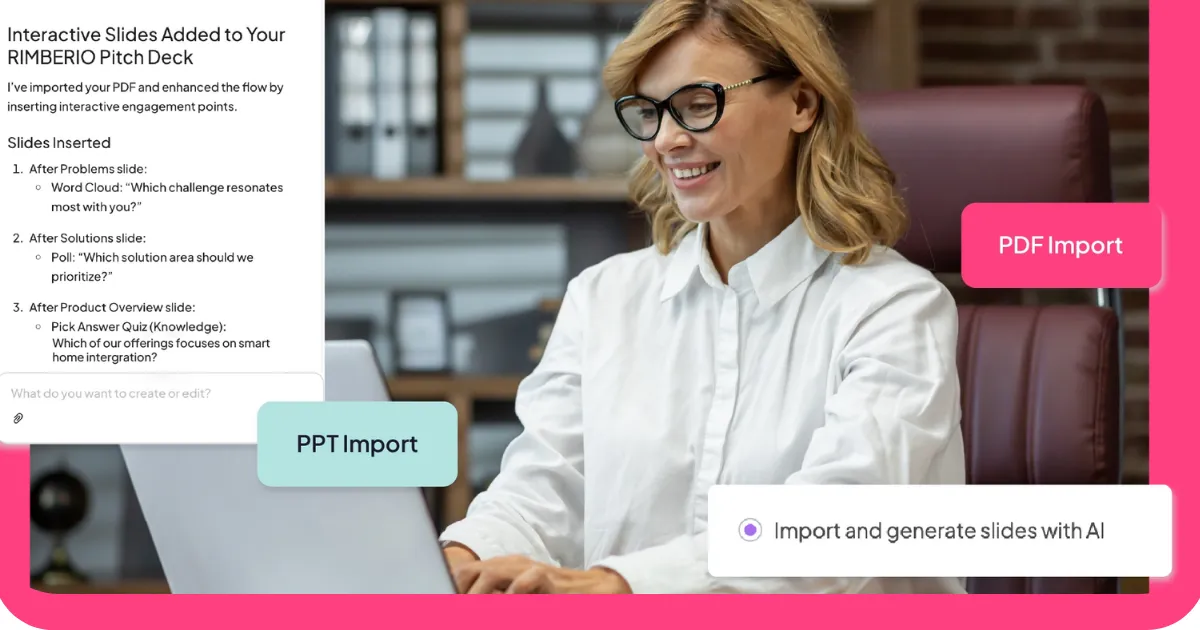
हम एक इंटरैक्टिव प्रेजेंटेशन टूल बनाते हैं। इसका मतलब है कि इस श्रेणी के बारे में हमारा अपना दृष्टिकोण है, और इससे अलग होने का दिखावा करना बेतुका होगा। इसका यह भी मतलब है कि हमने इस क्षेत्र में मौजूद अन्य टूल्स के साथ समय बिताया है, और हमें लगता है कि एक ईमानदार तुलना आपके लिए उस गाइड से कहीं अधिक उपयोगी होगी जो इस तथ्य को नज़रअंदाज़ करती है कि हम भी इस क्षेत्र में मौजूद हैं।
तो आइए जानते हैं यह कैसे काम करता है: हमने अपने खुद के टूल सहित छह एआई प्रेजेंटेशन टूल का मूल्यांकन एक ही मापदंड पर किया है। जहां AhaSlides सही विकल्प है, हम वही बताएंगे। जहां यह सही नहीं है, हम वह भी बताएंगे। हमारा लक्ष्य आपको वह टूल ढूंढने में मदद करना है जो वास्तव में आपके उद्देश्य के अनुरूप हो, न कि आपको यह विश्वास दिलाना कि एक ही समाधान हर स्थिति के लिए उपयुक्त है।
एआई प्रेजेंटेशन टूल वास्तव में किन समस्याओं का समाधान कर रहे हैं?
अच्छी प्रस्तुतियाँ बनाने में सबसे बड़ी बाधाएँ हमेशा से समय और डिज़ाइन कौशल रही हैं। अधिकांश लोगों के पास ये दोनों ही प्रचुर मात्रा में नहीं होते। एआई प्रेजेंटेशन टूल इन दोनों समस्याओं का समाधान करते हैं: ये एक संरचित प्रस्तुति तैयार करने के लिए आवश्यक समय को कम करते हैं और उन डिज़ाइन संबंधी निर्णयों को हटाते हैं जो अधिकांश लोगों की गति धीमी कर देते हैं।
इसका एक फायदा यह है कि इसमें अनुकूलन की गुंजाइश कम होती है। AI द्वारा तैयार की गई प्रस्तुतियाँ अन्य किसी भी विधि की तुलना में तेज़ी से एक ठोस शुरुआती बिंदु तक पहुँचाती हैं। उस शुरुआती बिंदु में कितना सुधार आवश्यक है, यह इस बात पर निर्भर करता है कि आपकी आवश्यकताएँ कितनी विशिष्ट हैं और अंतिम उत्पाद कितना परिष्कृत होना चाहिए। कुछ मामलों में AI द्वारा तैयार की गई प्रस्तुति लगभग प्रस्तुति के लिए तैयार होती है। अन्य मामलों में, यह एक उपयोगी प्रारंभिक मसौदा होता है जिसमें अभी भी काफी सुधार की आवश्यकता होती है।
नीचे दिए गए छह उपकरण उस स्पेक्ट्रम के विभिन्न बिंदुओं को कवर करते हैं। इनमें से प्रत्येक किसी न किसी काम में वाकई अच्छा है। सवाल यह है कि क्या वह काम आपकी ज़रूरतों से मेल खाता है।
1. एआई सुविधा के साथ: यह उन टीमों के लिए सबसे अच्छा है जो पहले से ही Google Slides या PowerPoint का उपयोग कर रही हैं।
साथ ही, AI आपको कोई नया प्लेटफ़ॉर्म सीखने के लिए कहने के बजाय, आपके द्वारा पहले से उपयोग किए जा रहे टूल के भीतर ही काम करता है। अगर आपकी टीम Google Slides या Microsoft PowerPoint का इस्तेमाल करती है, तो यह बात मायने रखती है। AI आपके प्रेजेंटेशन के लिए ज़रूरी माहौल छोड़े बिना ही कंटेंट तैयार करता है और लेआउट सुझाता है।
सामग्री की गुणवत्ता उत्कृष्ट है। यह व्यावसायिक प्रस्तुति के तौर-तरीकों को इतनी अच्छी तरह समझता है कि अधिकांश एआई टूल्स की तुलना में इसके आउटपुट में कम संपादन की आवश्यकता होती है। डिज़ाइन पॉवरपॉइंट और स्लाइड्स के मानकों के अनुरूप है: यह विशिष्ट होने के बजाय पेशेवर और कार्यात्मक है।
इसकी सीमा सहभागिता है। साथ ही, AI स्थिर प्रस्तुतियाँ तैयार करता है। इसमें वास्तविक समय में दर्शकों की भागीदारी की सुविधा नहीं है, जिसका अर्थ है कि यह दस्तावेज़ों और प्रस्तुतियों के लिए तो उपयुक्त है, लेकिन उन सत्रों के लिए नहीं जहाँ आपको उपस्थित लोगों की सक्रिय भागीदारी की आवश्यकता होती है।
इसके लिए सबसे उपयुक्त: वे टीमें जो प्लेटफॉर्म बदले बिना परिचित टूल के भीतर एआई-सहायता प्राप्त सामग्री निर्माण चाहती हैं।
2. AhaSlides: दर्शकों को आकर्षित करने के लिए सर्वोत्तम
यह हमारा टूल है, इसलिए इस जानकारी को उचित संदेह के साथ ही लें। ईमानदारी से कहें तो, AhaSlides अन्य प्रेजेंटेशन टूल्स से अलग सोच पर आधारित है। हमारा मुख्य उद्देश्य स्लाइड बनाने की प्रक्रिया को तेज़ करना नहीं है। हमारा उद्देश्य प्रेजेंटेशन को अधिक इंटरैक्टिव बनाना है।
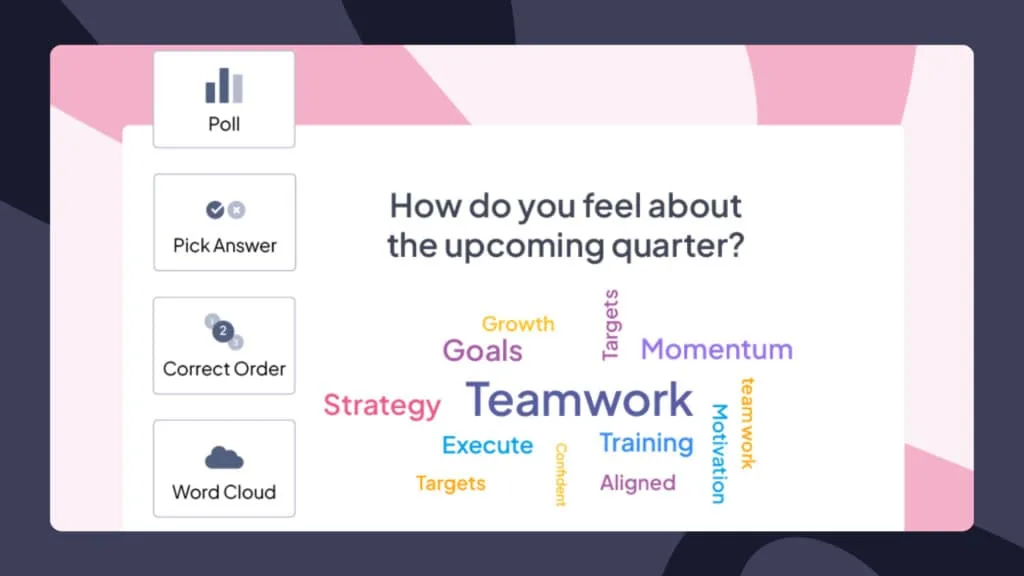
यह एआई मानक स्लाइड्स के साथ-साथ पोल, क्विज़, वर्ड क्लाउड और प्रश्नोत्तर सत्र भी तैयार करता है। इसका आउटपुट निष्क्रिय रूप से देखने के बजाय वास्तविक समय में दर्शकों की भागीदारी के लिए डिज़ाइन किया गया है। यदि आप किसी कमरे या दूरस्थ समूह को प्रस्तुति दे रहे हैं और आप चाहते हैं कि वे देखने के बजाय सक्रिय रूप से भाग लें, तो AhaSlides इसी के लिए बनाया गया है।
हमारी कमज़ोरी: अगर आपको बेहतरीन विज़ुअल डिज़ाइन या विस्तृत डेटा विज़ुअलाइज़ेशन की ज़रूरत है, तो इस सूची में बेहतर विकल्प मौजूद हैं। हमारे टेम्पलेट साफ़-सुथरे और काम के हैं। लेकिन दिखने में उतने आकर्षक नहीं हैं।
इनके लिए सबसे उपयुक्त: प्रशिक्षक, शिक्षक, सुविधादाता और कोई भी लाइव प्रस्तुति देने वाला व्यक्ति जो चाहता है कि श्रोता केवल सुनने के बजाय कुछ करें।
एक महत्वपूर्ण बात: AhaSlides के इंटरैक्टिव फ़ीचर्स के काम करने के लिए इंटरनेट कनेक्शन आवश्यक है। यदि आप ऐसी जगह पर प्रस्तुति दे रहे हैं जहाँ इंटरनेट कनेक्शन भरोसेमंद नहीं है, तो इस बात का ध्यान रखें।
3. स्लाइड्सगो: डिज़ाइन की गुणवत्ता के लिए सर्वश्रेष्ठ
Slidesgo की सबसे बड़ी खूबी इसकी टेम्पलेट लाइब्रेरी है। इसके डिज़ाइन हमेशा बेहतरीन होते हैं और इनमें कई तरह की शैलियाँ और उपयोग शामिल होते हैं। अगर विज़ुअल क्वालिटी आपकी मुख्य प्राथमिकता है और आप मैन्युअल रूप से कंटेंट बनाने के लिए ज़्यादा मेहनत करने को तैयार हैं, तो Slidesgo इस श्रेणी में कुछ बेहतरीन टेम्पलेट उपलब्ध कराता है।

यह एआई एक संकेत के आधार पर स्लाइड तैयार करता है और मौजूदा स्लाइडों को संशोधित भी कर सकता है, जो दोहराव के लिए उपयोगी है। इसकी सीमा यह है कि टेम्पलेट्स में निश्चित रंग विकल्प होते हैं, इसलिए अनुकूलन की संभावनाएं सीमित हैं। यह एआई प्रेजेंटेशन मेकर सीधे Google Slides के लिए उपलब्ध नहीं है, जो आपके प्राथमिक टूल के लिए महत्वपूर्ण हो सकता है।
फ्री प्लान में तीन डाउनलोड किए गए प्रेजेंटेशन की सुविधा मिलती है। पेड प्लान की कीमत लगभग छह डॉलर प्रति माह से शुरू होती है, जो डिजाइन की गुणवत्ता को देखते हुए उचित है।
इसके लिए सबसे उपयुक्त: कोई भी व्यक्ति जिसे जल्दी से एक आकर्षक प्रस्तुति की आवश्यकता हो और जो मैन्युअल रूप से सामग्री को परिष्कृत करने में सहज हो।
4. Presentations.AI: डेटा-प्रधान प्रस्तुतियों के लिए सर्वोत्तम
Presentations.AI अपनी एक खास क्षमता के लिए जाना जाता है: यह आपकी वेबसाइट को स्कैन करके ब्रांडिंग को निकालता है और अपलोड की गई फाइलों और वेब कंटेंट सहित कई स्रोतों से कंटेंट तैयार कर सकता है। जो टीमें नियमित रूप से डेटा प्रस्तुत करती हैं और ऐसे विज़ुअलाइज़ेशन चाहती हैं जो उनके वास्तविक ब्रांड को दर्शाते हों, उनके लिए यह एक महत्वपूर्ण विशेषता है।
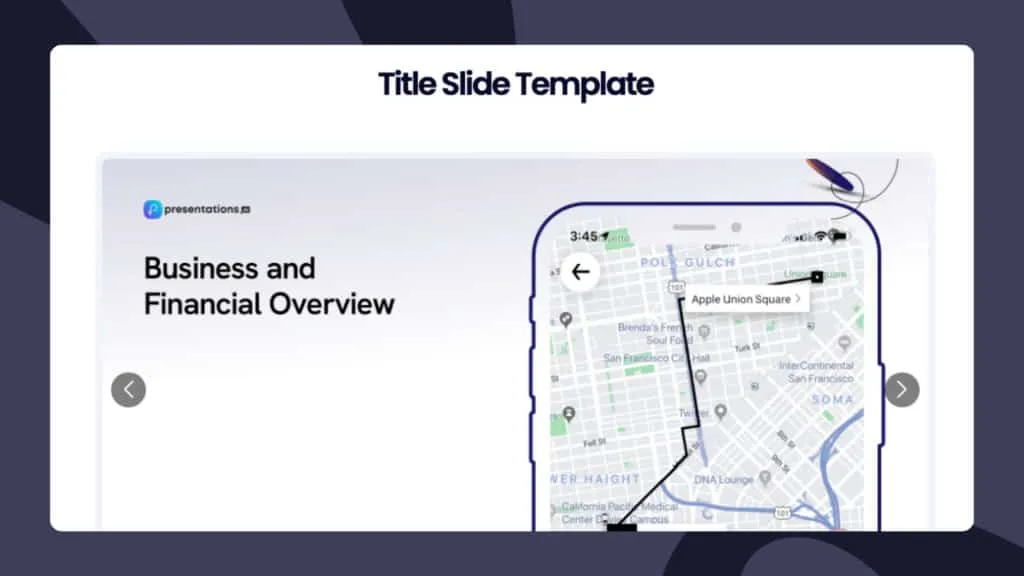
एआई डेटा प्रस्तुति के नियमों को समझता है और विभिन्न प्रकार के डेटा के लिए उपयुक्त लेआउट और विज़ुअल सुझाता है। सामग्री की गुणवत्ता उत्कृष्ट है और प्रॉम्प्ट से लेकर स्लाइड निर्माण तक का इंटरफ़ेस सरल है।
इसकी मुख्य कमी इसकी कीमत है। पेड प्लान के लिए प्रति माह सोलह डॉलर की कीमत के साथ, यह इस सूची में सबसे महंगा टूल है। हालांकि, यह कीमत उचित है या नहीं, यह इस बात पर निर्भर करता है कि आप कितनी बार डेटा-आधारित ब्रांडेड प्रेजेंटेशन बनाते हैं।
इसके लिए सबसे उपयुक्त: वे टीमें जो नियमित रूप से डेटा प्रस्तुत करती हैं और जिन्हें अपनी स्लाइड्स में लगातार ब्रांड संरेखण की आवश्यकता होती है।
5. PopAi: गति के लिए सर्वश्रेष्ठ
PopAi एक काम अन्य सभी टूल्स से कहीं ज़्यादा तेज़ी से करता है: यह साठ सेकंड से भी कम समय में एक पूरी प्रेजेंटेशन तैयार कर देता है। ChatGPT इंटीग्रेशन और इमेज जनरेशन की क्षमता इसे तब सही विकल्प बनाती है जब आपको जल्दी से कुछ ऐसा प्रस्तुत करना हो जो देखने में अच्छा लगे और आपके पास उसे बेहतर बनाने का समय न हो।
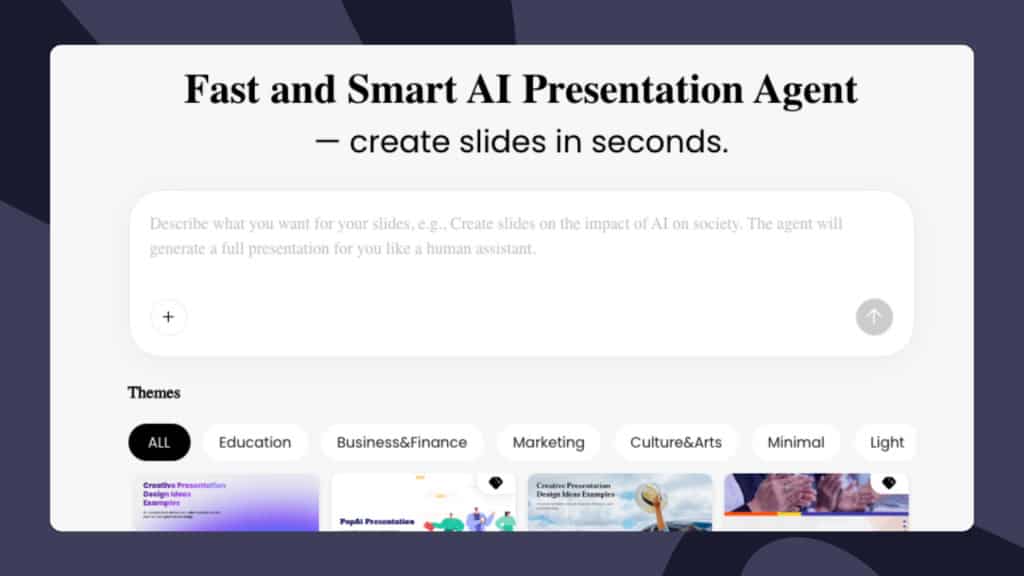
गुणवत्ता के मामले में समझौता करना पड़ता है। सामग्री कभी-कभी सामान्य होती है और डिज़ाइन विकल्प सीमित होते हैं। आंतरिक प्रस्तुतियों, त्वरित पिच या ऐसी स्थितियों के लिए जहां गुणवत्ता से अधिक गति मायने रखती है, PopAi उपयुक्त है। ग्राहकों के साथ सीधे संवाद या महत्वपूर्ण कार्यों के लिए, आपको आउटपुट पर अधिक नियंत्रण की आवश्यकता होगी।
फ्री प्लान में बेसिक प्रेजेंटेशन बनाना शामिल है। एडवांस फीचर्स ट्रायल पर उपलब्ध हैं।
इसके लिए सबसे उपयुक्त: कोई भी व्यक्ति जिसे अगले एक घंटे में प्रस्तुति देनी हो और जो आउटपुट को संपादित करने में सहज हो।
6. स्टोरीडॉक: बिक्री और विपणन दस्तावेजों के लिए सर्वोत्तम
स्टोरीडॉक अन्य सॉफ्टवेयरों से अलग प्रारूप पर काम करता है। पारंपरिक स्लाइड डेक के बजाय, यह स्क्रॉल करने योग्य इंटरैक्टिव दस्तावेज़ तैयार करता है जो प्रस्तुति के बजाय साझा करने के लिए डिज़ाइन किए गए हैं। उदाहरण के लिए, प्रस्ताव दस्तावेज़, ईमेल द्वारा भेजे जाने वाले बिक्री डेक, या निवेशक सामग्री जिन्हें बिना किसी प्रस्तुतकर्ता की उपस्थिति के काम करने की आवश्यकता होती है।
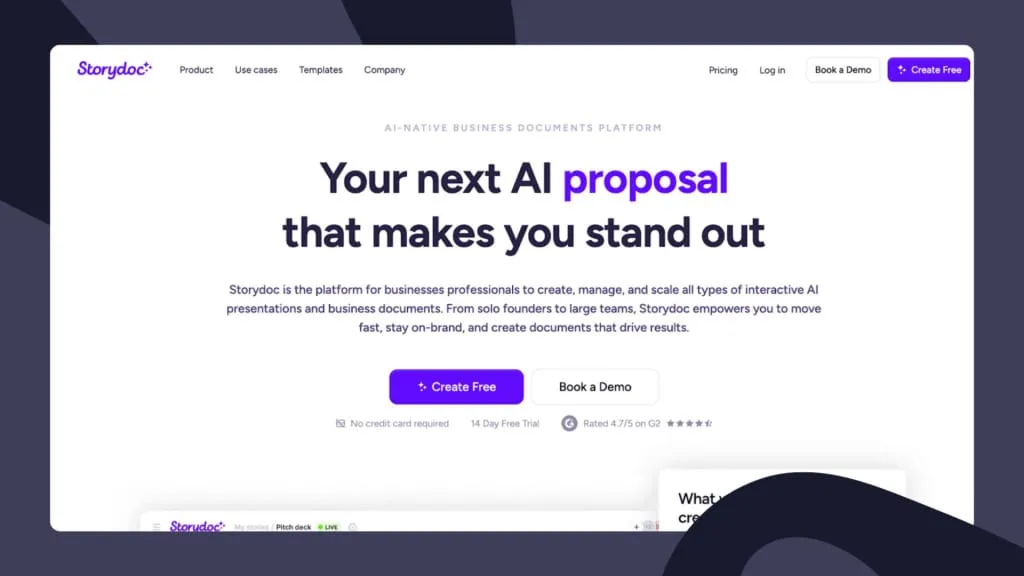
यह एआई आपकी वेबसाइट और ब्रांड की शैली पर प्रशिक्षित है, जिसका अर्थ है कि इसका आउटपुट अधिकांश डिफ़ॉल्ट टूल की तुलना में अधिक ब्रांड-अनुकूल लगता है। इस प्लेटफ़ॉर्म में अंतर्निहित विश्लेषण शामिल हैं जो यह दिखाते हैं कि दस्तावेज़ को किसने पढ़ा, उन्होंने प्रत्येक अनुभाग पर कितना समय बिताया और उन्होंने पढ़ना कहाँ छोड़ा। बिक्री टीमों के लिए जो यह जानना चाहती हैं कि उनका प्रेजेंटेशन पढ़ा जा रहा है या नहीं, यह वास्तव में उपयोगी है।
इसमें इंटरैक्टिव फीचर्स काफी अच्छे हैं: एम्बेडेड वीडियो, लीड जनरेशन फॉर्म, ई-सिग्नेचर और कैलेंडर जैसी सुविधाएं डॉक्यूमेंट में ही शामिल की जा सकती हैं। अगर आप पारंपरिक स्लाइड्स के आदी हैं, तो स्क्रॉल-आधारित फॉर्मेट में थोड़ा एडजस्टमेंट करना पड़ सकता है, और AI को आपके ब्रांड के अनुसार ट्रेन करने के लिए पहले से कुछ मेहनत करनी पड़ेगी। चौदह दिन के फ्री ट्रायल के बाद पेड प्लान सत्रह डॉलर प्रति माह से शुरू होते हैं।
इसके लिए सबसे उपयुक्त: बिक्री और विपणन टीमें जो ऐसे दस्तावेज़ तैयार कर रही हैं जिन्हें स्वतंत्र रूप से पढ़ा जाना है, न कि लाइव प्रस्तुति के लिए।
कैसे चुने
सही टूल इस बात पर निर्भर करता है कि आप वास्तव में क्या हासिल करना चाहते हैं। इसे आसानी से समझने का एक सरल तरीका यहाँ दिया गया है।
- यदि आप लाइव प्रेजेंटेशन दे रहे हैं और चाहते हैं कि आपके दर्शक निष्क्रिय रूप से देखने के बजाय सक्रिय रूप से शामिल हों, तो AhaSlides इसी के लिए बनाया गया है।
- यदि आप Google Slides या PowerPoint में काम कर रहे हैं और प्लेटफ़ॉर्म बदले बिना AI की सहायता चाहते हैं, तो Plus AI एक स्वाभाविक विकल्प है।
- यदि दृश्य डिजाइन की गुणवत्ता आपकी प्राथमिकता है और आप स्वयं अधिक सामग्री तैयार करने में सहज हैं, तो Slidesgo सबसे अच्छे दिखने वाले टेम्पलेट तैयार करता है।
- यदि आप नियमित रूप से डेटा प्रस्तुत करते हैं और आपको ब्रांड के साथ लगातार तालमेल बनाए रखने की आवश्यकता है, तो Presentations.AI की अधिक कीमत भी उचित है।
- यदि आपको एक घंटे से भी कम समय में कुछ ऐसा चाहिए जिसे प्रस्तुत किया जा सके, तो PopAi सबसे तेज़ विकल्प है।
- यदि आप ऐसे दस्तावेज़ बना रहे हैं जिन्हें लाइव प्रस्तुत करने के बजाय स्वतंत्र रूप से पढ़ा जाना है, तो स्टोरीडॉक का स्क्रॉल करने योग्य प्रारूप देखने लायक है।
इनमें से अधिकांश टूल निःशुल्क या परीक्षण विकल्प उपलब्ध कराते हैं। यह जानने का सबसे अच्छा तरीका है कि कौन सा टूल आपके कार्यप्रवाह के लिए उपयुक्त है, इसके लिए खरीदने से पहले एक वास्तविक प्रस्तुति चलाकर देखें। AI आउटपुट उपयोग के तरीके के अनुसार इतना भिन्न होता है कि कोई भी तुलनात्मक गाइड इसे पूरी तरह से नहीं बता सकती। आपका विशिष्ट विषय, दर्शक और शैली प्रत्येक टूल के साथ अलग-अलग तरह से काम करेगी।
AhaSlides के साथ इसे और आगे ले जाना
चूंकि हमने शुरू से ही अपने दृष्टिकोण को लेकर पारदर्शिता बरती है, इसलिए हम यहां भी सीधे तौर पर कहेंगे: यदि आप सहभागिता को बढ़ावा देना चाहते हैं, तो इंटरैक्टिव तत्व इसे प्राप्त करने का सबसे विश्वसनीय तरीका हैं।
एक ऐसा पोल जो आपके श्रोताओं के विचारों को आपके बोलने से पहले ही सामने ला देता है, किसी भी महत्वपूर्ण बात कहने से पहले ही प्रस्तुति की गतिशीलता को बदल देता है। सत्र के बीच में बनाया गया वर्ड क्लाउड आपको वास्तविक समय में दिखाता है कि कौन से विचार प्रभावी हैं और कौन से नहीं। एक गुमनाम प्रश्नोत्तर सत्र लोगों के उन सवालों को सामने लाता है जिन्हें वे खुलकर नहीं पूछते। ये क्षण अच्छी सामग्री का विकल्प नहीं हैं। ये लोगों को प्रस्तुति में इतनी देर तक बनाए रखते हैं कि वे उसे आत्मसात कर सकें।
AhaSlides को ऐसे क्षणों को आसानी से बनाने और सहजता से प्रस्तुत करने के लिए डिज़ाइन किया गया है। यदि आप पहले से ही अपनी स्लाइड्स के लिए किसी अन्य टूल का उपयोग कर रहे हैं, तो AhaSlides Google Slides और PowerPoint के साथ एकीकृत हो जाता है, जिससे आप अपनी पूरी प्रेजेंटेशन को दोबारा बनाए बिना इंटरैक्टिव तत्व जोड़ सकते हैं। यदि आप बिल्कुल शुरुआत से बना रहे हैं, तो AI सीधे इंटरैक्टिव सामग्री तैयार कर देता है।
फ्री टियर में अधिकतम पचास प्रतिभागियों के साथ असीमित प्रस्तुतियों की सुविधा है, जो बिना किसी सशुल्क योजना के इसे आज़माने के अधिकांश मामलों को कवर करती है।
ऊपर लपेटकर
एआई प्रेजेंटेशन टूल्स ने वाकई में बहुत कम समय में संभावनाओं को बदल दिया है। पेशेवर रूप से डिज़ाइन की गई प्रेजेंटेशन और ऐसी प्रेजेंटेशन के बीच का अंतर काफी कम हो गया है। लेकिन दर्शकों को आकर्षित करने वाली प्रेजेंटेशन और ऐसी प्रेजेंटेशन जो दर्शकों को आकर्षित नहीं करती, उनके बीच का अंतर एक अलग समस्या है, और इसे केवल डिज़ाइन से हल नहीं किया जा सकता।
वह टूल चुनें जो आपके उद्देश्य के लिए उपयुक्त हो। यह तय करने से पहले कि यह आपके लिए काम करेगा या नहीं, इसे किसी वास्तविक चीज़ पर आज़माएँ। और यदि आप उपयोगकर्ता की सहभागिता को माप रहे हैं, तो अंतःक्रिया को बाद में जोड़ने के बजाय, इसे शुरू से ही शामिल करें।