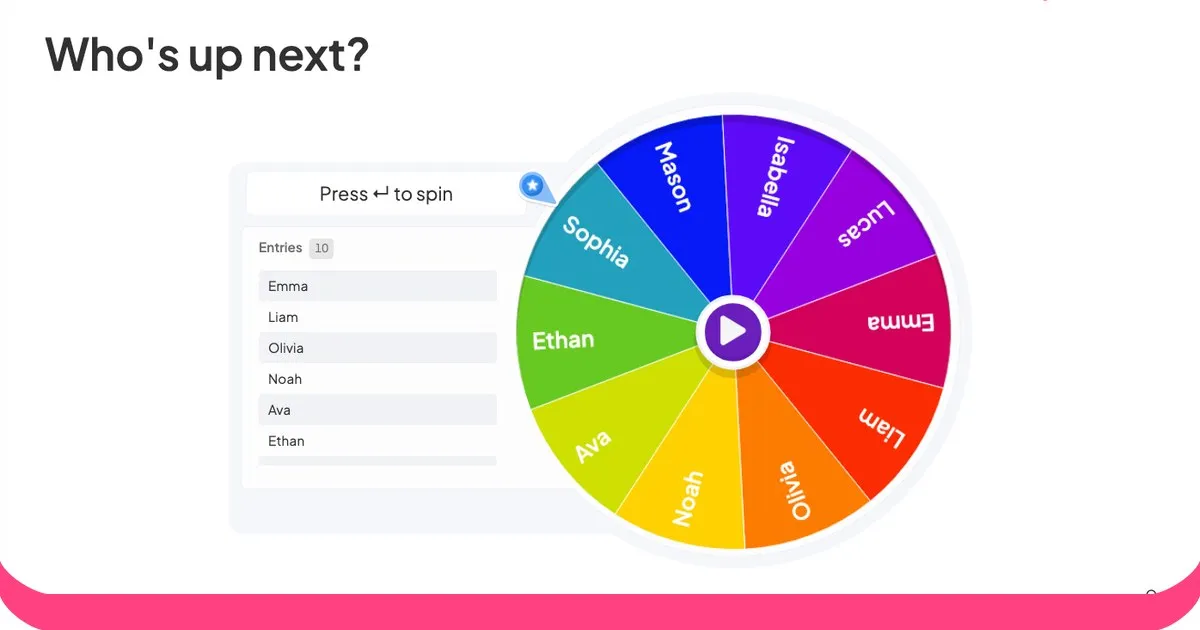



ClassPointは、授業での生徒の参加を促す優れたPowerPointアドオンですが、大きな制約があります。それは、Microsoft PowerPoint上でWindows版しか動作しないということです。そのため、Mac、iPad、Chromebookを使用している教師や、プレゼンテーションツールを統一していない学校では利用できません。
もしあなたがそこで行き詰まってしまったのなら、このガイドではあらゆるデバイスとオペレーティングシステムで動作する5つの代替策を紹介します。これにより、あなたがどのコンピューターの前に立っているかに関わらず、インタラクティブなアクティビティを楽しむことができます。

ClassPointの代替サービスを選ぶ際に注目すべき点
リストに入る前に、切り替え時に重要なポイントを簡単にまとめておきます。
- クロスプラットフォームのサポート: プラグインやインストールなしで、Mac、Windows、iOS、Android、Chromebookで動作します。
- 観客参加型シンプルスタイル: 学生はURLまたはQRコードで参加でき、学生側でのアカウント登録は不要です。
- インタラクションの多様性: 選択式クイズだけでなく、自由記述式問題、ワードクラウド、アンケート、質疑応答なども含まれる。
- 価格の透明性: 実際に使える明確な無料プランがあり、有料プランには年間契約の事前契約は不要です。
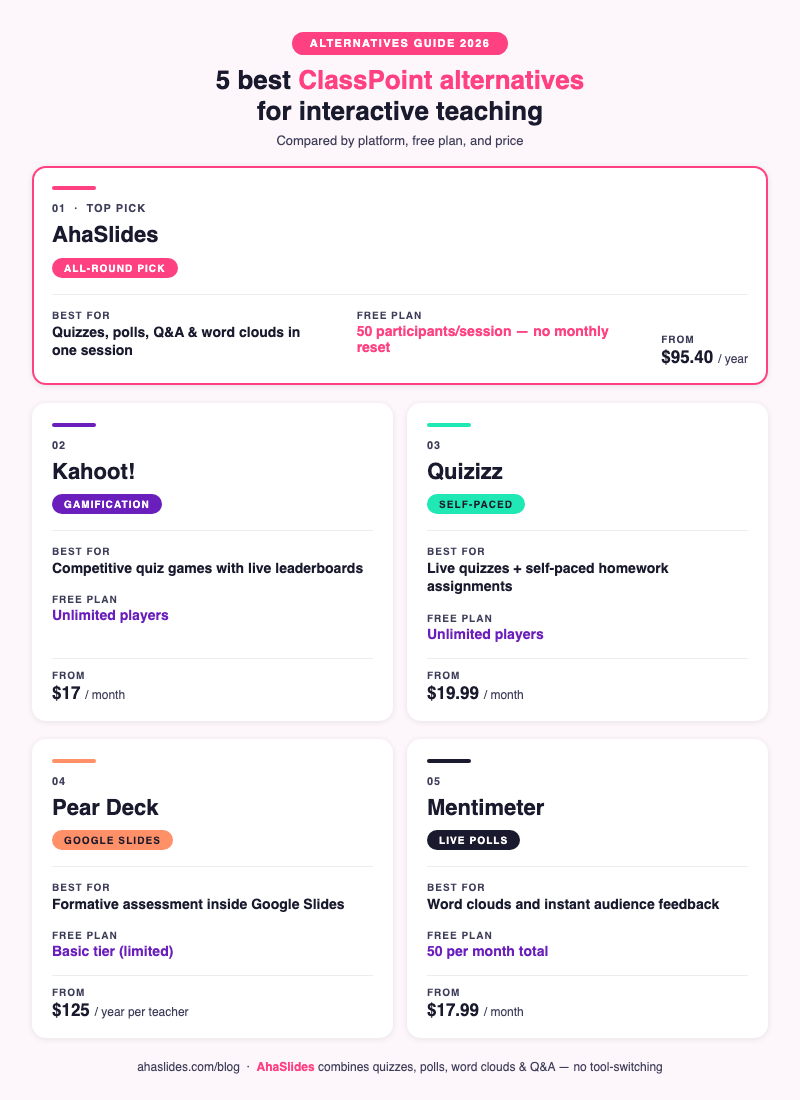
ClassPointの代替となるおすすめサービス5選を一覧でご紹介
| ツール | ベスト | Platform | 無料プラン | 開始価格 |
|---|---|---|---|---|
| あはスライド | 総合的な教育と訓練 | あらゆるデバイス、ブラウザベース | 1セッションあたり参加者50名 | $ 95.40 /年 |
| カフー! | ゲーム感覚で楽しめるクイズ大会 | あらゆるデバイス、ブラウザベース | 無制限のプレイヤー | $ 17 /月 |
| クイズ | 自分のペースで進められるクイズとライブクイズ | あらゆるデバイス、ブラウザベース | 無制限のプレイヤー | $ 19.99 /月 |
| ペアデッキ | Google スライドまたは PowerPoint のユーザー | ブラウザベース(アドオン) | 基本的な(限定的な回答) | 教師一人当たり年間125ドル |
| 距離計 | ライブ投票と即時フィードバック | あらゆるデバイス、ブラウザベース | 参加者数:月50名 | $ 17.99 /月 |
1. アハスライド

最適なユーザー:クイズ、アンケート、ワードクラウド、Q&Aをあらゆるデバイスで一元管理したい教育者
AhaSlidesは、インストール不要であらゆるプラットフォームで動作するブラウザベースのインタラクティブなプレゼンテーションツールです。ClassPointが提供するあらゆる種類のインタラクションに加え、聴衆の賛成票によるライブQ&A、スピナーホイール、ブレインストーミング用スライド、競争型クイズのリーダーボードなど、ClassPointにはない機能も備えています。
ClassPointはPowerPoint内で動作しますが、AhaSlidesはスタンドアロンプラットフォームとして、またPowerPointのアドインやGoogleスライドとの統合としても機能するため、既存のプレゼンテーションファイルを変更することなく使用できます。
無料プランでは、1セッションあたり最大50名まで参加可能で、月額リセットも不要です。これはほとんどの教室規模に対応しています。クイズスライドタイプには、リアルタイムのリーダーボード、タイマー、採点機能、そして正誤判定の即時フィードバックが含まれており、ClassPointのコアとなるインタラクティブ機能とマッチしています。匿名での質疑応答と賛成票機能は、すべてのプランで利用可能です。
参加者は、任意のブラウザでURLまたはQRコードにアクセスするだけで参加でき、アカウントの作成やアプリのダウンロードは不要です。
無料プラン: 参加者50名、1セッションあたりクイズスライド5枚、投票スライド3枚
有料プラン: 年間95.40ドルから(月額23.95ドルから)
プラットフォーム: Mac、Windows、iOS、Android、Chromebook(どのブラウザでも可)
2. Kahoot!
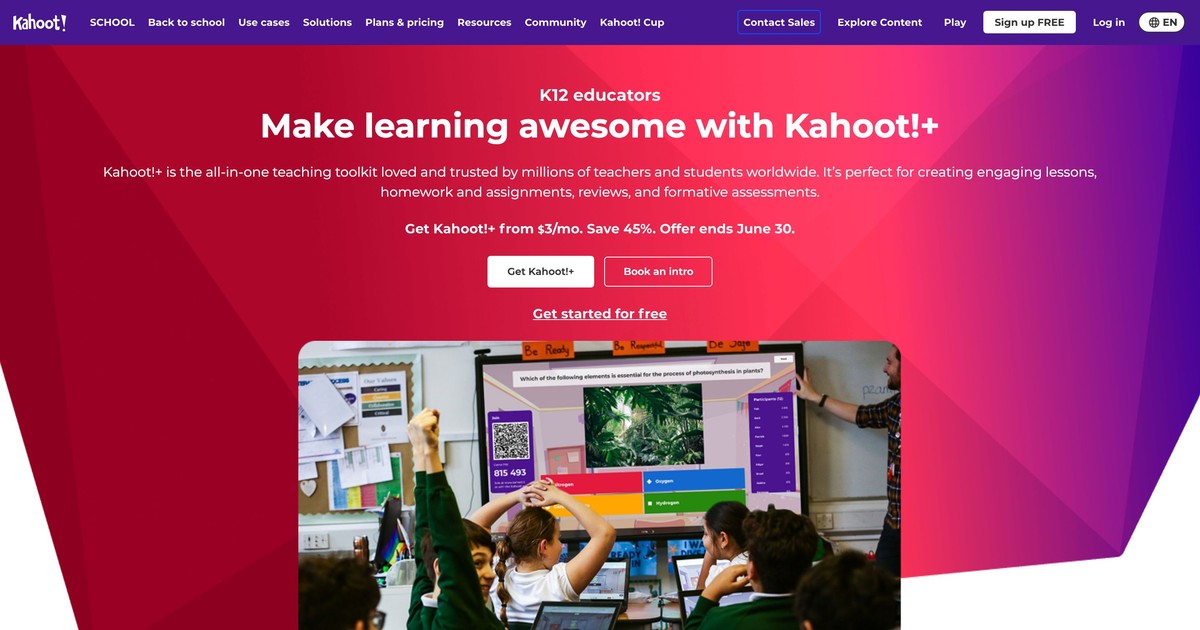
最適な対象:幼稚園から高校までの授業で、競争的でゲーム感覚のクイズ体験を求めている教師
Kahoot! は世界中で 300 億人以上のユーザーを抱えるまでに成長し、K-12 の学校でゲームベースの学習に広く利用されています [1]。その形式は独特で、すべてのクイズは時間制限のあるレースであり、生徒はできるだけ速く回答し、スピードと正確さの両方でポイントを獲得します。
ClassPointと比較すると、ゲーム化の面ではKahoot!が勝っています。カウントダウンタイマー、効果音、そして勝利を祝うアニメーションが、ClassPointのより実用的なインターフェースでは味わえない競争的な雰囲気を作り出しています。試験前のクイズ形式の復習セッションには、これに勝るものを見つけるのは難しいでしょう。
その代わりに、Kahoot!のフォーマットはクイズ以外の用途には向いていません。リアルタイムの投票機能、ワードクラウド、自由記述式のテキスト回答、質疑応答機能などがありません。ゲーム形式の記憶力向上アクティビティ以上のものを求めるなら、別のツールが必要になります。
無料プラン: 基本クイズゲームではプレイヤー数無制限
有料プラン: 月額17ドルから(コンテンツライブラリとレポート機能付きの学校向けプラン)
プラットフォーム: どのブラウザでも使用可能、インストール不要
3.クイズ
最適なユーザー:ライブ授業での小テストと、自分のペースで進められる宿題課題の両方を一つのツールで提供したい教育者
QuizizzがClassPointよりも優れている最大の点は、デュアルモードに対応していることです。授業中にリーダーボード付きのクイズをリアルタイムで実施することも、同じクイズを生徒が自分のペースで取り組める宿題として割り当てることもできます。ClassPointはリアルタイムの同期型利用のみをサポートしています。
生徒のペースに合わせて学習を進めるモードは、反転授業や個別指導に特に有効です。生徒は間違った解答をヒントを見ながらやり直したり、自分のペースで学習を進めたり、詳細なフィードバックを確認したりできます。教師用ダッシュボードには、生徒個人およびクラス全体の学習状況がリアルタイムで表示されます。
QuizizzはGoogle Classroomとも連携しており、課題を直接配信できるため、アクティビティリンクを共有する際の手間が軽減されます。
無料プラン: プレイヤー数無制限、基本的なクイズ形式、限定的なレポート
有料プラン: 月額19.99ドルから(高度な質問形式、詳細なレポート、広告なし)
プラットフォーム: どのブラウザでも利用可能、さらにiOSとAndroid専用アプリも利用可能
4. ペアデッキ

最適なユーザー:すでにGoogleスライドを使用しており、プラットフォームを切り替えずに形成的評価を追加したいと考えている教師
Pear Deckは、GoogleスライドユーザーにとってClassPointに最も近いツールです。Googleスライド内で直接動作するアドオン(PowerPointにも対応)で、ツールを離れることなく、既存のスライドデッキにインタラクティブな質問を埋め込むことができます。
インタラクションの種類には、多肢選択式、テキスト入力式、描画式、ドラッグ&ドロップ式、ウェブサイト埋め込みなどがあります。教師用ダッシュボードには、クラス全体の回答がリアルタイムで表示され、生徒のペースに合わせて学習できるフラッシュカードファクトリーモードは、語彙の復習に役立ちます。
最大の制約は価格です。便利な機能(描画による回答、リアルタイムダッシュボード、生徒のペースに合わせた学習モードなど)は有料のプレミアムプランでしか利用できません。無料版はかなり制限されています。
無料プラン: 基本的なインタラクティブスライド、限られたフィードバックタイプ
有料プラン: 教師1人あたり年間125ドル(フルダッシュボードと形成的評価ツールを備えたプレミアムプラン)
プラットフォーム: Chromeブラウザ(Googleスライドアドオン)、PowerPointデスクトップ
5. メンティメーター
最適なユーザー:主にライブ投票、ワードクラウド、評価尺度を迅速な確認のために必要とする教育者
Mentimeterは、プレゼンテーションを第一に考えたツールで、聴衆からのリアルタイムなフィードバックに特化しています。特にワードクラウドのスライド機能は高く評価されており、聴衆がリアルタイムで単語を入力すると、入力された単語が画面上に表示され、頻度に応じて大きくなります。ブレインストーミングや感情分析を行う際には、このリストの中でも有力な選択肢と言えるでしょう。
主な制限は、参加者数の月間リセットです。無料プランでは、セッションごとではなく、月間合計で50人までしか参加できません。週に3回クラスを開催すると、すぐに上限に達してしまいます。AhaSlidesの無料プランでは、月間上限なしでセッションごとに50人まで参加できます。
Mentimeterには、ClassPoint、Kahoot!、AhaSlidesのような競争的な意味でのスコア付きクイズやリーダーボードがないため、復習ゲームとしては限界がある。
無料プラン: 参加者50名/月、プレゼンテーション1回につき質問5件
有料プラン: 月額17.99ドルから(年間プラン)
プラットフォーム: どのブラウザでも使用可能、インストール不要
方法を選択
| 必要な場合は... | と一緒に行きます |
|---|---|
| 最も万能なオールラウンダー | あはスライド |
| 最大限のゲーミフィケーション効果 | カフー! |
| ライブ形式と自分のペースで進められるクイズの柔軟性 | クイズ |
| Google スライド内での形成的評価 | ペアデッキ |
| ワードクラウドとインスタント投票のみ | 距離計 |
私たちの評決
ClassPointの代替ツールを探しているほとんどの教育者にとって、AhaSlidesは最も幅広いニーズに対応できるツールです。あらゆるデバイスとオペレーティングシステムで動作し、インストールも不要で、クイズ、アンケート、質疑応答、ワードクラウドを1つのセッションに統合できるため、特定のインタラクションタイプを選択する必要がありません。授業でゲーム化を重視する場合は、Kahoot!やQuizizzも有効ですが、レッスン全体を通してAhaSlidesならすべてを1つのツールで完結できます。
よくある質問
ClassPointは無料ですか?
ClassPointには、PowerPointの基本的な注釈機能と限られた種類のインタラクティブなスライド作成機能を含む無料プランがあります。無料プランでは、1セッションあたり最大30名の生徒まで利用できます。生徒の成績レポートやより多くの質問形式などの高度な機能を利用するには、教師1人あたり月額9.99ドルからの有料プランが必要です。
Macで動作するClassPointの代替製品はどれですか?
このリストにある5つのツールはすべて、ウェブブラウザ経由でMac上で動作します。ClassPoint自体はWindows専用であるため、教育者が代替ツールを探す最も一般的な理由となっています。AhaSlides、Kahoot!、Quizizz、Mentimeterはソフトウェアのインストールが不要です。Pear DeckはChromeのGoogle Slidesアドオンとして動作します。
ClassPointの最適な無料代替サービスは何ですか?
AhaSlidesの無料プランは、ほとんどの教室でのニーズに対応しています。1セッションあたり50人まで参加可能で、月額リセットもありません。さらに、リーダーボード、投票、ワードクラウド、匿名Q&A機能を備えたライブクイズも利用できます。クイズゲームだけが必要な場合は、Kahoot!とQuizizzが優れた無料オプションです。
AhaSlidesはClassPointのようにPowerPointと連携して動作しますか?
はい。AhaSlidesにはPowerPointアドインがあり、インタラクティブなスライドをPowerPointプレゼンテーションに直接埋め込むことができます。また、ClassPointが全くサポートしていないGoogleスライドとも連携します。
学生はアカウントを作成せずに参加できますか?
ここに挙げた5つのツールすべてにおいて、学生はスマートフォンやノートパソコンのブラウザにURLを入力するか、QRコードをスキャンするだけで参加できます。学生アカウントの作成、ダウンロード、登録は一切不要です。
その他の代替ガイド
他の人気授業ツールや生徒参加型ツールの比較をお探しですか?これらのガイドでは、あらゆる側面を網羅しています。
- 2026年におすすめのKahoot!代替ツール12選(無料版と有料版)
- 2026年にきっと気に入る、ユニークな機能を備えたメンティメーターの優れた代替アプリ6選
- Slidoの最適な代替ツール:無料インタラクティブツールガイド
- より良いオーディエンスエンゲージメントを実現する、Poll Everywhereの代替となる7つのベストツール
- AhaSlidesの代替ツール:2026年に使える無料のインタラクティブツール8選
- 会議や研修に使える無料オンライン投票ツール5選(2026年版)
ソース
[1] Kahoot! (2023). Kahoot! のユーザー数が300億人に達しました。 https://kahoot.com/blog/2023/03/kahoot-reaches-300-million-users/